Accessible description: Dan, a white man with a goatee beard and a faded blue ponytail, stands in a darkened kitchen. Turning to the camera, he says “I get up when I want,
except on Wednesdays when I get rudely awakened by the tadpoles.” Then he holds up a book entitled “Pond Life”.
The fundamental difference between streaming and downloading is what your device does with those frames of video:
Does it show them to you once and then throw them away? Or does it re-assemble them all back into a video file and save it into storage?
When you’re streaming on YouTube, the video player running on your computer retains a buffer of frames ahead and behind of your current position, so you can skip around easily: the
darker grey part of the timeline shows which parts of the video are stored on – that is, downloaded to – your computer.
Buffering is when your streaming player gets some number of frames “ahead” of where you’re watching, to give you some protection against connection issues. If your WiFi wobbles
for a moment, the buffer protects you from the video stopping completely for a few seconds.
But for buffering to work, your computer has to retain bits of the video. So in a very real sense, all streaming is downloading! The buffer is the part
of the stream that’s downloaded onto your computer right now. The question is: what happens to it next?
All streaming is downloading
So that’s the bottom line: if your computer deletes the frames of video it was storing in the buffer, we call that streaming. If it retains them in a file, we
call that downloading.
That definition introduces a philosophical problem. Remember that Vimeo checkbox that lets a creator decide whether people can (i.e. are allowed to) download their videos? Isn’t
that somewhat meaningless if all streaming is downloading.
Because if the difference between streaming and downloading is whether their device belonging to the person watching the video deletes the media when they’re done. And in
virtually all cases, that’s done on the honour system.
This kind of conversation happens, over the HTTP protocol, all the time. Probably most of the time the browser is telling the truth, but there’s no way to know for certain.
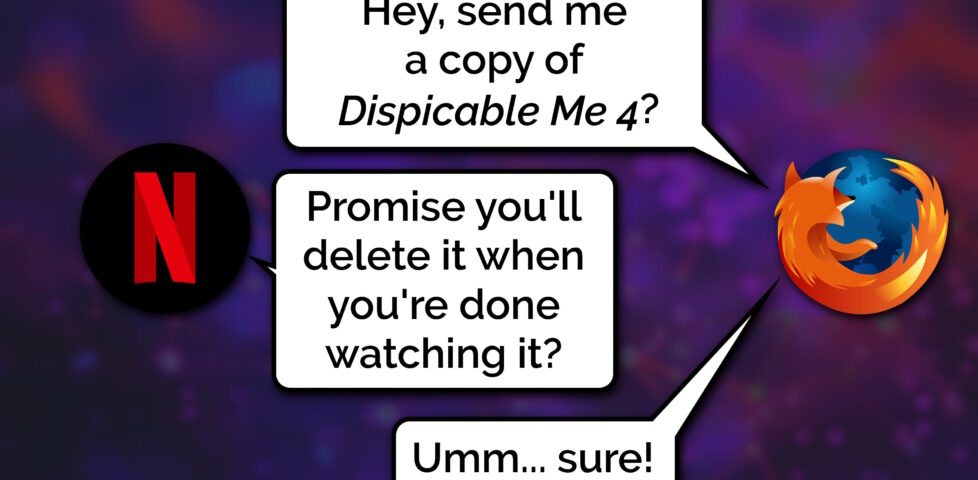
When your favourite streaming platform says that it’s only possible to stream, and not download, their media… or when they restrict “downloading” as an option to higher-cost paid plans…
they’re relying on the assumption that the user’s device can be trusted to delete the media when the user’s done watching it.
But a user who owns their own device, their own network, their own screen or speakers has many, many opportunities to not fulfil the promise of deleting media it after they’ve consumed
it: to retain a “downloaded” copy for their own enjoyment, including:
Intercepting the media as it passes through their network on the way to its destination device
Using client software that’s been configured to stream-and-save, rather than steam-and-delete, the content
Modifying “secure” software (e.g. an official app) so that it retains a saved copy rather than deleting it
Capturing the stream buffer as it’s cached in device memory or on the device’s hard disk
Outputting the resulting media to a different device, e.g. using a HDMI capture device, and saving it there
Exploiting the “analogue4
hole”5:
using a camera, microphone, etc. to make a copy of what comes out of the screen/speakers6
Okay, so I oversimplified (before you say “well, actually…”)
It’s not entirely true to say that streaming and downloading are identical, even with the caveat of “…from the server’s perspective”. There are three big exceptions worth
thinking about:
Exception #1: downloads can come in any order
When you stream some linear media, you expect the server to send the media in strict chronological order. Being able to start watching before the whole file has
downloaded is a big part of what makes steaming appealing, to the end-user. This means that media intended for streaming tends to be stored in a way that facilitates that
kind of delivery. For example:
Media designed for streaming will often be stored in linear chronological order in the file, which impacts what kinds of compression are available.
Media designed for streaming will generally use formats that put file metadata at the start of the file, so that it gets delivered first.
Video designed for streaming will often have frequent keyframes so that a client that starts “in the middle” can decode the buffer without downloading too much data.
No such limitation exists for files intended for downloading. If you’re not planning on watching a video until it’s completely downloaded, the order in which the chunks arrives is
arbitrary!
But these limitations make the set of “files suitable for streaming” a subset of the set of “files suitable for downloading”. It only makes it challenging or impossible to
stream some media intended for downloading… it doesn’t do anything to prevent downloading of media intended for streaming.
Exception #2: streamed media is more-likely to be transcoded
A server that’s streaming media to a client exists in a sort-of dance: the client keeps the server updated on which “part” of the media it cares about, so the server can jump ahead,
throttle back, pause sending, etc. and the client’s buffer can be kept filled to the optimal level.
This dance also allows for a dynamic change in quality levels. You’ve probably seen this happen: you’re watching a video on YouTube and suddenly the quality “jumps” to something more
(or less) like a pile of LEGO bricks7. That’s the result of your device realising that the rate
at which it’s receiving data isn’t well-matched to the connection speed, and asking the server to send a different quality level8.
The server can – and some do! – pre-generate and store all of the different formats, but some servers will convert files (and particularly livestreams) on-the-fly, introducing
a few seconds’ delay in order to deliver the format that’s best-suited to the recipient9. That’s not necessary for downloads, where the
user will often want the highest-quality version of the media (and if they don’t, they’ll select the quality they want at the outset, before the download begins).
Exception #3: streamed media is more-likely to be encumbered with DRM
And then, of course, there’s DRM.
As streaming digital media has become the default way for many people to consume video and audio content, rights holders have engaged in a fundamentally-doomed10
arms race of implementing copy-protection strategies to attempt to prevent end-users from retaining usable downloaded copies of streamed media.
Take HDCP, for example, which e.g. Netflix use for their 4K streams. To download these streams, your device has to be running some decryption code that only works if it can trace a path
to the screen that it’ll be outputting to that also supports HDCP, and both your device and that screen promise that they’re definitely only going to show it and not make it
possible to save the video. And then that promise is enforced by Digital Content Protection LLC only granting a decryption key and a license to use it to manufacturers.11
The real hackers do stuff with software, but people who just want their screens to work properly in spite of HDCP can just buy boxes like this (which I bought for a couple of quid on
eBay). Obviously you could use something like this and a capture card to allow you to download content that was “protected” to ensure that you could only stream it, I suppose, too.
Anyway, the bottom line is that all streaming is, by definition, downloading, and the only significant difference between what people call “streaming” and
“downloading” is that when “streaming” there’s an expectation that the recipient will delete, and not retain, a copy of the video. And that’s it.
Footnotes
1 This isn’t the question I expected to be answering. I made the animation in this post
for use in a different article, but that one hasn’t come together yet, so I thought I’d write about the technical difference between streaming and downloading as an excuse to
use it already, while it still feels fresh.
2 I’m using the example of a video, but this same principle applies to any linear media
that you might stream: that could be a video on Netflix, a livestream on Twitch, a meeting in Zoom, a song in Spotify, or a radio show in iPlayer, for example: these are all examples
of media streaming… and – as I argue – they’re therefore also all examples of media downloading because streaming and downloading are fundamentally the same thing.
3 There are a few simplifications in the first half of this post: I’ll tackle them later
on. For the time being, when I say sweeping words like “every”, just imagine there’s a little footnote that says, “well, actually…”, which will save you from feeling like you have to
say so in the comments.
4 Per my style guide, I’m using the British English
spelling of “analogue”, rather than the American English “analog” which you’ll often find elsewhere on the Web when talking about the analog hole.
5 The rich history of exploiting the analogue hole spans everything from bootlegging a
1970s Led Zeppelin concert by smuggling recording equipment
in inside a wheelchair (definitely, y’know, to help topple the USSR and not just to listen to at home while you get high)
to “camming” by bribing your friendly local projectionist to let you set up a video camera at the back of the cinema for their test screening of the new blockbuster. Until some
corporation tricks us into installing memory-erasing DRM chips into our brains (hey, there’s a dystopic sci-fi story idea in there somewhere!) the analogue hole will always be
exploitable.
6 One might argue that recreating a piece of art from memory, after the fact, is a
very-specific and unusual exploitation of the analogue hole: the one that allows us to remember (or “download”) information to our brains rather than letting it “stream” right
through. There’s evidence to suggest that people pirated Shakespeare’s plays this way!
7 Of course, if you’re watching The LEGO Movie, what you’re seeing might already
look like a pile of LEGO bricks.
8 There are other ways in which the client and server may negotiate, too: for example,
what encoding formats are supported by your device.
9My NAS does live transcoding when Jellyfin streams to devices on my network, and it’s magical!
10 There’s always the analogue hole, remember! Although in practice this isn’t even
remotely necessary and most video media gets ripped some-other-way by clever pirate types even where it uses highly-sophisticated DRM strategies, and then ultimately it’s only
legitimate users who end up suffering as a result of DRM’s burden. It’s almost as if it’s just, y’know, simply a bad idea in the first place, or something. Who knew?
11 Like all these technologies, HDCP was cracked almost immediately and every
subsequent version that’s seen widespread rollout has similarly been broken by clever hacker types. Legitimate, paying users find themselves disadvantaged when their laptop won’t let
them use their external monitor to watch a movie, while the bad guys make pirated copies that work fine on anything. I don’t think anybody wins, here.
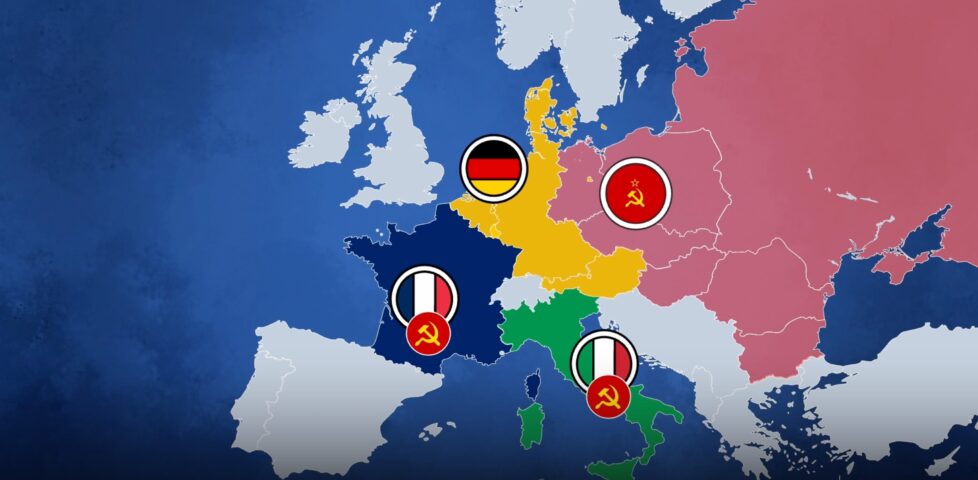
This video, which I saw on Nebula but which is also available on YouTube, explores a hypothetical alternate history in which the Schuman Plan/European Coal & Steel Community never happened, and the knock-on effects lead to no EU, a more fragmented Europe,
and an ultimately more-fractured and more-complicated Europe of the late 20th/early 21st century.
Obviously it’s highly-speculative and you could easily come up with your own alternative alternative history! But the Twilight Struggle player in me as well as the alternate
history lover (and, of course, European Union fan) especially loves the way this story is told.
It’s worth remembering that for the last half-millenium or more, the default state of Europe has been to be fighting one another: if not outright war then at least agressive
economic and political rivals. Post-WWII gave Europe perhaps its longest ever period of relative peace, and that’s great enough that all of the other benefits of a harmonised
and cooperative union are just icing on the cake.
EU Made Simple is a fantastic channel in general, and I’d recommend you give it a look. It ties news and history in with its creators
outlook, but it’s always clear which bits are opinion and it’s delightfully bitesized. For Europeans-in-exile in this post-Brexit age, it’s hopeful and happy, and I like it.
The video below is presented in portrait orientation, because your screen is taller than it is wide.
The video below is presented in landscape orientation, because your screen is wider than it is tall.
The video below is presented in square orientation (the Secret Bonus Square Video!), because your screen has approximately the same width as as its height. Cool!
This is possible (with a single <video> element, and without any Javascript!) thanks to some cool HTML features you might not be aware of, which I’ll briefly explain
in the video. Or scroll down for the full details.
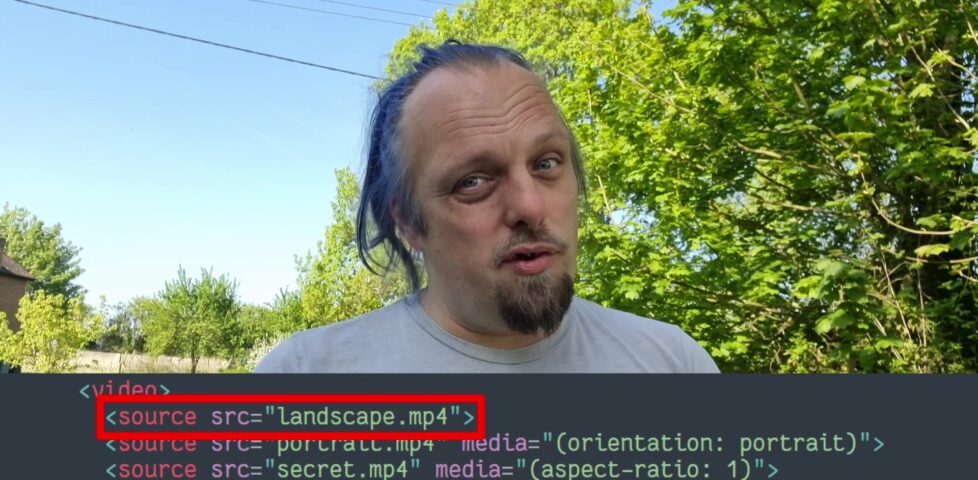
<videocontrols><sourcesrc="squareish.mp4"media="(min-aspect-ratio: 0.95) and (max-aspect-ratio: 1.05)"/><sourcesrc="portrait.mp4"media="(orientation: portrait)"/><sourcesrc="landscape.mp4"/></video>
This code creates a video with three sources: squareish.mp4 which is shown to people on “squareish” viewports, failing that portrait.mp4 which is shown to
people whose viewports are taller than wide, and failing that landscape.mp4 which is shown to anybody else.
That’s broadly-speaking how the video above is rendered. No JavaScript needed.
Browsers only handle media queries on videos when they initially load, so you can’t just tip your phone over or resize the window: you’ll need to reload the page, too. But it works!
Give it a go: take a look at the video in both portrait and landscape modes and let me know what you think1.
Adding adaptive bitrate streaming with HLS
Here’s another cool technology that you might not have realised you could “just use”: adaptive bitrate streaming with HLS!
You’ve used adaptive bitrate streaming before, though you might not have noticed it. It’s what YouTube, Netflix, etc. are doing when your network connection degrades and you quickly get
dropped-down, mid-video, to a lower-resolution version2.
Turns out you can do it on your own static hosting, no problem at all. I used this guide (which has a great
description of the parameters used) to help me:
This command splits the H.264 video landscape.mp4 into three different resolutions: the original “v1” (1920×1080, in my case, with 96kbit audio), “v2” (1280×720, with
96kbit audio), and “v3” (640×360, with 48kbit audio), each with a resolution-appropriate maximum bitrate, and forced keyframes every 48th frame. Then it breaks each of those into HLS
segments (.ts files) and references them from a .m3u8 playlist.
The output from this includes:
Master playlist landscape.m3u8, which references the other playlists with reference to their resolution and bandwidth, so that browsers can make smart choices,
Playlists landscape_0.m3u8 (“v1”), landscape_1.m3u8 (“v2”), etc., each of which references the “parts” of that video,
Directories landscape_0/, landscape_1/ etc., each of which contain
data00.ts, data01.ts, etc.: the actual “chunks” that contain the video segments, which can be downloaded independently by the browser as-needed
Bringing it all together
We can bring all of that together, then, to produce a variable-aspect, adaptive bitrate, HLS-streamed video player… in pure HTML and suitable for static hosting:
<videocontrols><sourcesrc="squareish.m3u8"type="application/x-mpegURL"media="(min-aspect-ratio: 0.95) and (max-aspect-ratio: 1.05)"/><sourcesrc="portrait.m3u8"type="application/x-mpegURL"media="(orientation: portrait)"/><sourcesrc="landscape.m3u8"type="application/x-mpegURL"/></video>
You could, I suppose, add alternate types, poster images, and all kinds of other fancy stuff, but this’ll do for now.
One solution is to also provide the standard .mp4 files as an alternate <source>, and that’s fine I guess, but you lose the benefit of HLS (and
you have to store yet more files). But there’s a workaround:
Polyfill full functionality for all browsers
If you’re willing to use a JavaScript polyfill, you can make the code above work on virtually any device. I gave this a go, here, by:
Adding some JavaScript code that detects affected `<video>` elements and applying the fix if necessary:
// Find all <video>s which have HLS sources:for( hlsVideo of document.querySelectorAll('video:has(source[type="application/x-mpegurl"]), video:has(source[type="vnd.apple.mpegurl"])') ) {
// If the browser has native support, do nothing:if( hlsVideo.canPlayType('application/x-mpegurl') || hlsVideo.canPlayType('application/vnd.apple.mpegurl') ) continue;
// If hls.js can't help fix that, do nothing:if ( ! Hls.isSupported() ) continue;
// Find the best source based on which is the first one to match any applicable CSS media queriesconst bestSource =Array.from(hlsVideo.querySelectorAll('source')).find(source=>window.matchMedia(source.media).matches)
// Use hls.js to attach the best source:const hls =new Hls();
hls.loadSource(bestSource.src);
hls.attachMedia(hlsVideo);
}
It makes me feel a little dirty to make a <video>depend on JavaScript, but if that’s the route you want to go down while we wait for HLS support to become
more widespread (rather than adding different-typed sources) then that’s fine, I guess.
This was a fun dive into some technologies I’ve not had the chance to try before. A fringe benefit of being a generalist full-stack developer is that when you’re “between jobs”
you get to play with all the cool things when you’re brushing up your skills before your next big challenge!
(Incidentally: if you think you might be looking to employ somebody like me, my CV is over there!)
Footnotes
1 There definitely isn’t a super-secret “square” video on this page, though. No
siree. (Shh.)
2 You can tell when you get dropped to a lower-resolution version of a video because
suddenly everybody looks like they’re a refugee from Legoland.
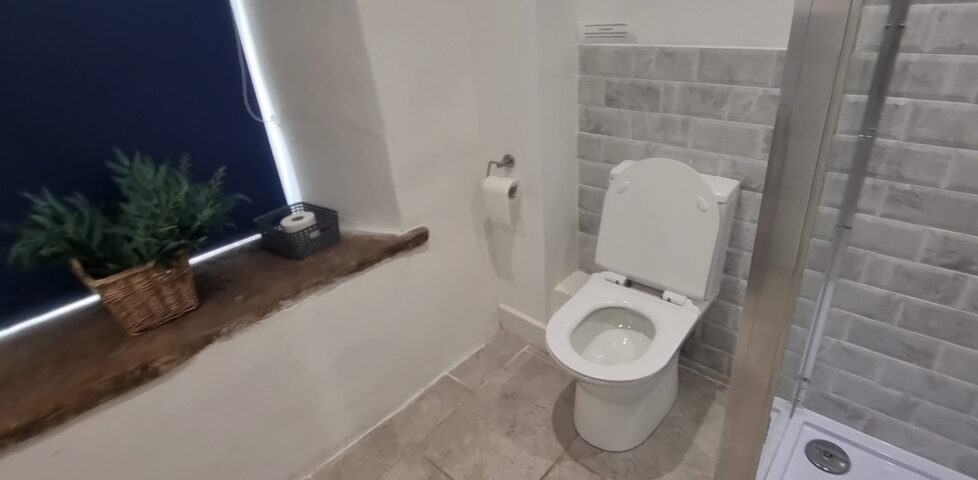
This bathroom at the holiday home where some fellow volunteers and I are doing some Three Rings work, this week, has a few unusual quirks,
including this surprisingly-shit bathroom:
The door has a lock… but there’s a second door which doesn’t.
Oh, and the first door’s lock doesn’t actually do anything. The door can still be opened from the outside.
Hanging with my team at our meetup in Istanbul, this lunchtime I needed to do some accessibility testing…
(with apologies to anybody who doesn’t know that in user interface design, a “kebab menu” is one of those menu icons with a vertical line of three dots: a vertical
ellipsis)
I was experimenting with VP8/VP9 WebM video transparency and I made a stupid thing: a URL that, if you go to it, means you’ll he followed around my blog by a video of me just hanging
out in the corner of the page – https://danq.me/?fool_id=06
I’ve added it to my list of “stupid/random things that can happen if you visit my blog on April Fools’ Day”: https://danq.me/fools/
It’s possible I don’t understand social media any more. To be fair, it’s possible that I never did.
This is something between absurd and hilarious. Aside from the 100 year plan (which is fascinating, and I keep meaning to share my thoughts
on), I’m not sure what it’s supposed to be advertising. Maybe it’s trying to showcase how cool it is to work with Automattic? (It’s
not… exactly like it’s depicted in the video. But I’d be lying if I said that fewer than 50% of my meetings this week have included a discussion on snack foods, so maybe we are
I guess at least a little eccentric.)
I think I understand what it’s parodying. And that’s fun. But… wow. You don’t see many videos like this attached to a corporate YouTube account, do you? Kudos for keeping the Internet
fun and weird, WordPress.com.
When I saw the title of this piece by The Nerdwriter pop up in my RSS reader, the first words that grabbed my attention were “time travel movie”. I’ve a bit of a thing for time travel
stories in any medium, and I love a good time travel movie1.
Could I be about to be introduced to one I’m not familiar with, I wondered?
Before the thumbnail loaded2,
I processed the rest of the title: the movie doesn’t move. At first my brain had assumed that this was a reference to the story spanning time but not space,
but now suddenly it clicked:
Like many people (outside of film students), I imagine, I first came across La Jetée after seeing it mentioned in the credits of Twelve Monkeys, which adapts its
storyline in several ways. And like most people who then went on to see it, I imagine, I was moved by that unforgettable experience – there’s nothing quite like it in the history of
film (if we’re to call it a film, that is: its creator famously doesn’t).
Anyway: Nerdwriter1’s take on it doesn’t say anything that hasn’t already been said, but it’s a beautiful introduction to interpreting this fantastic short film and it’s
highly-accessible whether or not you’ve seen La Jetée3. Give his video essay a watch.
Footnotes
1 Okay, let’s be honest, my feelings go deeper than that. Time travel movies are, for me,
like pizza: I love a good time travel movie, but I’ll also happily enjoy a pretty trashy time travel movie too.
2 Right now I’m in a rural farm building surrounded by olive groves in an out-of-the-way
bit of Spain, and my Internet access isn’t always the fastest. D’ya remember how sometimes Web pages used to load the text and then you’d wait while the images loaded? They still do
that, here.
3 There’s spoilers, but by the time a film is 60 years old, I think that’s fair game,
right?
I’m on sabbatical from work right now, so I’m hoping to be able to get out to this hashpoint while the kids are at school.
Expedition
After dropping the kids off at school, the geopup/hashhound and I set out for the hashpoint. Coming up the “short side” of the bridleway from Botley would be a shorter walk, but we
opted to park in Cumnor and come up the “long side” of Harcourt Hill to avoid Oxford’s traffic (and the inevitable fee for parking on the city’s side of the hill).
Harcourt Hill (like my village of Stanton Harcourt) doubtless gets its name from the Harcourt Family, who supported William the Conqueror during his conquest of Great Britain back in
1066 and were ultimately granted huge swathes of land around this part of the world in recognition of their loyalty. To this day, you find “Harcourt” in a lot of place names in this
neck of the woods.
The hashpoint was so easy to find, we almost walked right over it: it’s right in the centre of the footpath/bridleway. Even my dog, who often doesn’t like long walks or muddy paths,
didn’t get a chance to complain before we got there. We arrived at 09:35 and took the requisite photos, which can be found below. We also kept a GPS tracklog and vlogged our experience,
all of which you can see below.
I’ve not properly hashed in a long while, so it was great to get back out there!
What’s the point of this crossing? Do rabbits pass very fast through this junction?
View East from the hashpoint (plus dog).
View West from the hashpoint.
Right in the middle of the circle of uncertainty.
Silly grin/silly tongue-sticking-out.
From safely outside of its predicted path, just around the Yucatan coast, Hurricane Milton seems like a forboding and distant monster. A growing threat whose path will thankfully take
it away, not towards, me.
My heart goes out to the people on the other side of the Gulf of Mexico who find themselves along the route of this awakened beast.
The YouTube channel @simonscouse has posted exactly two videos.
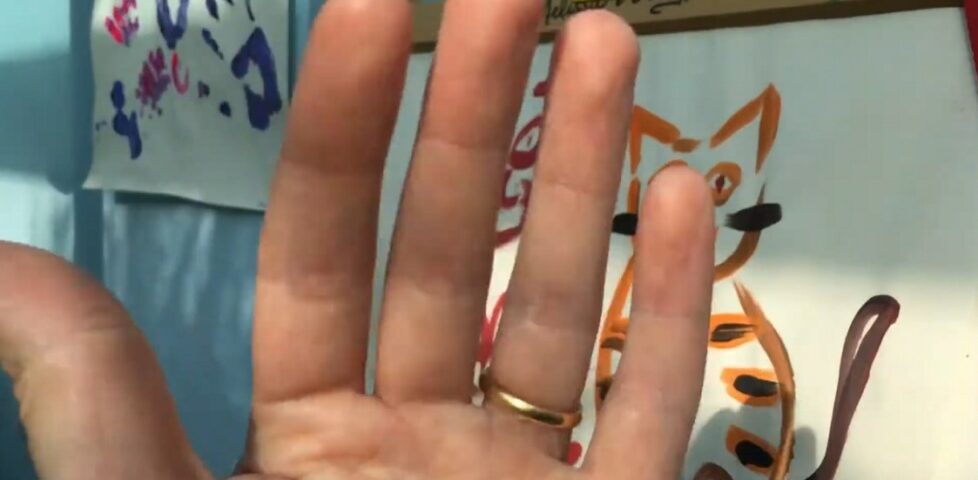
The first came a little over ten years ago. It shows a hand waving and then wiggling its fingers in front of a patterned wallpaper:
The second came a little over five years ago, and shows a hand – the same hand? – waving in front of a painting of two cats while a child’s voice can be heard in the background:
In a comment on the latter, the producer promised that it’s be “only
another 5 years until the trilogy is completed”.
Where’s the third instalment, Simon? We’re all waiting to see it!
If I could offer you only one tip for the future, coding would be it. The long term benefits of coding websites remains unproved by scientists, however the rest of my advice has a
basis in the joy of the indie web community’s experiences. I will dispense this advice now:
Enjoy the power and beauty of PHP; or never mind. You will not understand the power and beauty of PHP until your stack is completely jammed. But trust me, in 20 years you’ll look
back at your old sites and recall in a way you can’t grasp now, how much possibility lay before you and how simple and fast they were. JS is not as blazingly fast as you imagine.
Don’t worry about the scaling; or worry, but know that premature scalability is as useful as chewing bubble gum if your project starts cosy and small. The real troubles on the web
are apt to be things that never crossed your worried mind; if your project grows, scale it up on some idle Tuesday.
I can’t say I loved Baz Luhrmann’s Everybody’s Free To Wear Sunscreen. I’m not sure it’s possible for anybody who lived through it being played to death in the late
1990s; a period of history when a popular song was basically inescapable. Also, it got parodied a lot. I must’ve seen a couple of dozen different parodies of varying quality in
the early 2000s.
But it’s been long enough that I was, I guess, ready for one. And I couldn’t conceive of a better topic.
Y’see: the very message of the value of personal websites is, like Sunscreen, a nostalgic one. When I try to sell
people on the benefits of a personal digital garden or blog, I tend to begin by pointing out that the best time to set up your own website is… like 20+ years ago.
But… the second-best time to start a personal website is right now. With cheap and free static
hosting all over the place (and more-dynamic options not much-more expensive) and domain names still as variably-priced as they ever were, the biggest impediment is the learning
curve… which is also the fun part! Siloed social media is either eating its own tail or else fighting to adapt to once again be part of a more-open Web, and there’s nothing that says
“I’m part of the open Web” like owning your own online identity, carving out your own space, and expressing yourself there however you damn well like.
As always, this is a drum I’ll probably beat until I die, so feel free to get in touch if you want some help getting set up on the Web.