There’s a perception that a blog is a long-lived, ongoing thing. That it lives with and alongside its author.1
But that doesn’t have to be true, and I think a lot of people could benefit from “short-term” blogging. Consider:
Photoblogging your holiday, rather than posting snaps to social media
You gain the ability to add context, crosslinking, and have permanent addresses (rather than losing eveything to the depths of a feed). You can crosspost/syndicate to your favourite
socials if that’s your poison..
Photoblog your holiday and I might follow it, and I’ll do so at my convenience. Put your snaps on Facebook and I almost certainly won’t bother. Photo courtesy ArtHouse Studio.
Blogging your studies, rather than keeping your notes to yourself
Writing what you learn helps you remember it; writing what you learn in a public space helps others learn too and makes it easy to search for your discoveries later.2
Recording your roleplaying, rather than just summarising each session to your fellow players
My D&D group does this at levellers.blog! That site won’t continue to be updated forever – the party will someday retire or, more-likely, come to a
glorious but horrific end – but it’ll always live on as a reminder of what we achieved.
One of my favourite examples of such a blog was 52 Reflect3 (now integrated into its successor The Improbable Blog). For 52 consecutive weeks my partner‘s brother Robin
blogged about adventures that took him out of his home in London and it was amazing. The project’s finished, but a blog was absolutely the right medium for it because now it’s got a
“forever home” on the Web (imagine if he’d posted instead to Twitter, only for that platform to turn into a flaming turd).
I don’t often shill for my employer, but I genuinely believe that the free tier on WordPress.com is an excellent
way to give a forever home to your short-term blog4.
Did you know that you can type new.blog (or blog.new; both work!) into your browser to start one?
What are you going to write about?
Footnotes
1This blog is, of course, an example of a long-term blog. It’s been going in
some form or another for over half my life, and I don’t see that changing. But it’s not the only kind of blog.
2 Personally, I really love the serendipity of asking a web search engine for the solution
to a problem and finding a result that turns out to be something that I myself wrote, long ago!
4 One of my favourite features of WordPress.com is the fact that it’s built atop the
world’s most-popular blogging software and you can export all your data at any time, so there’s absolutely no lock-in: if you want to migrate to a competitor or even host your own
blog, it’s really easy to do so!
My second day of the main conference part of WordCamp Europe 2023 was hampered slightly by a late start on my part.
I can’t say for certain why I woke up mildly hungover and with sore knees, but I make an educated guess that it might be related to the Pride party I found myself at last night.
Still, I managed to get to all the things I’d earmarked for my attention, including:
I’m sure I can’t be the only person who’s been asked “why can’t the (or ‘shouldn’t the’) WordPress post editor let multiple people edit post at the same time”. Often, people
will compare it to e.g. Google Docs.
I can’t begin to speculate how often people must ask this supposedly-trivial question of Dawid Urbański, possibly the world’s expert on this
very question.
Dawid summarised the challenging issues in any effort to implement this much-desired feature. Some of them are examples of those unsolved problems that keep rearing their heads in
computer science, like the two generals’ problem, but even the solvable problems are difficult: How does one
handle asynchronous (non-idempotent) commutative operations? How is the order of disparate actions determined? Which node is the source of truth? If a server is used, where is that
server (with a nod to quite how awful the experience of implementing a Websockets server in PHP can be…)? And so on…
Slides showing simplified timelines of parties communicating with one another in ambigous ways
I really appreciated Dawid’s reference to the various bits of academic literature that’s appeared over the last four decades (!) about how these problems might be solved. It’s a strong
reminder that these things we take for granted in live-updating multi-user web applications are not trivial and every question you can answer raises more questions.
There’s some great early proof-of-concepts, so we’re “getting there”, and it’s an exciting time. Personally, I love the idea of the benefits this could provide for offline editing
(perhaps just because I’m still a huge fan of a well-made PWA!).
James Giroux’s goal: that we all become more curious about and more invested in our team’s experiences, from a humanistic standpoint. His experience of companies with organic growth of
software companies is very, very familiar: you make a thing and give it away, then you need more people, then you’ve somehow got a company and it’s all because you just had an idea
once. Sounds like Three Rings!
Financial success is not team success, as Twitter shows, with their current unsustainable and unhappy developer culture, James reminds us.
James was particularly keen to share with us the results of his Team Experience Index research, and I agree that some of the result are
especially exciting, in particularly the willingness of underrepresented groups, especially women, to enagage with the survey: this provides hugely valuable data about the health of
teams working in the WordPress space.
The statistician in me immediately wanted to know how the non-response rate to these (optional) questions varied relative to one another (if they’re very different, putting these pie
charts alongside one another could be disingenuous!), but I’m tentatively excited by the diversity represented anyway.
“We have this project that we work with and contribute to, that we love,” says James, in an attempt to explain the highly-positive feedback that his survey respondents gave when asked
questions about the authenticity of their purpose and satisfaction in their role.
Again, my inner statistician wants to chirp up about the lack of a control group. The data from the survey may well help companies working within the WordPress ecosystem to
identify things we’re doing well and opportunities for growth, but it’d also be cool to compare these metrics to those in companies outside of the WordPress world!
So, what do we do with these findings? How do WordPress-ey companies improve? James recommends that we:
Get better are showing what recognition, celebration, and career growth looks like,
Improve support and training for team leaders to provide them with the tools to succeed and inspire, and
Bridge the gap between leadership and team members with transparent, open dialogue.
Good tips, there.
The Big Photo
A WordCamp tradition is to try to squeeze every willing participant into a photo. Clearly with the size that these events are, nowadays, this requires some wrangling (and, in this case,
the photographers standing atop the roof of a nearby building to get everybody into frame).
Like herding cats, trying to get several hundred people to line up where you want them for a photograph is an exercise in patience.
I’ll have to keep an eye out for the final picture and see if I can find myself in it.
I always find that learning about bleeding edge CSS techniques makes me feel excited and optimistic, perhaps because
CSS lends itself so well towards a progressive enhancement approach to development: often, you can start using a new technique
today and it’ll only benefit, say, people using a beta version of a particular browser (and perhaps only if they opt-in to the applicable feature flag). But if you’ve designed
your site right then the lack of this feature won’t impact anybody else, and eventually the feature will (hopefully) trickle-down into almost everybody’s Web experience.
Anyway, that’s what Fellyph Cintra says too, but he adds that possibly we’ve still not grown out of thinking that browsers take a long
time between versions. 5 years passed between the release of Internet Explorer 6 and Internet Explorer 7, for example! But nowadays most browsers are evergreen with releases each
month! (Assuming we quietly ignore that Apple don’t sent new versions of Safari to old verisons of MacOS, continuing to exacerbate a problem that we used to see with Internet Explorer
on Windows, ahem.)
Fellyph told us about how he introduced <dialog> to his team and they responded with skepticism that they’d be able to use it within the next 5 years. But in fact
it’s already stable in every major browser.
An important new development may come from Baseline, a project to establish a metric of what you can reliably use on the Web today. So a
bit like Can I Use, I guess, but taken from the opposite direction: starting from the browsers and listing the features, rather than the other way
around.
Anyway, Fellyph went on to share some exciting new ideas that we should be using, like:
object-fit and object-position, which can make the contents of any container “act like” a background
aspect-ratio, which I’m already using and I love, but I enjoyed how Fellyph suggested combining the two to crop images to a fluid container on the client side
scroll-behavior: smooth, which I’ve used before; it’s pretty good
clamp, which I use… but I’m still not sure I fully grok it: I always have to load some documentation with examples when I use it
@container queries, which can apply e.g. (max-width: ...) rules to things other than the viewport, which I’ve not found a need for yet but I can see the
value of it
@layers, which grant an additional level of importance in the cascade: for example, you might load a framework into a layer (with @import url(...)
layer(framework)) which is defined as a lower-priority than your override layer, meaning you won’t have to start slapping !important all over the shop
@media (400px <= width <= 600px)-style media queries, which are much easier to understand than min-width: if you’re used to thinking in a
more-procedural programming language (I assume they work in container queries too!)
…
It’s also worth remembering:
@supports, which is badass and I love and use it already (it was especially useful as display: grid began to roll out and I wanted to start using it but
needed to use a fallback method for browsers that didn’t support it yet
:has(), which I’ve long thought is game-changing: styling something based on what it contains is magical; not really suitable for mainstream use yet without
Firefox support, though (it’s still behind a feature flag)! Fellyph sold me on the benefit of :not(:has(...)), though!
Nesting, which again doesn’t have Firefox support yet but provides SCSS-like nesting in CSS, which is awesome
Scroll-driven animations, which can e.g. do parallax effects without JavaScript (right now it’s Canary only, mind…), using e.g. animation-timeline: and
animation-range: to specify that it’s the scroll position within the document that provides the timeline for the animation
And keeping an eye on upcoming things like text-balanced (which I’m already excited by), popover, selectmenu, view transitions (which I’ve been
experimenting with because they’re cool), and scoped style.
For my second workshop, I joined Google’s Adam Silverstein to watch him dissect a few participants’ websites performance using Core Web
Vitals as a metric. I think I already know the basics of Core Web Vitals, but when it comes to improving my score (especially on work-related sites with
unpleasant reliance on heavyweight frameworks like React, in my experience).
In an early joke, Adam pointed out that you can reduce JavaScript thread blocking by removing JavaScript from your site. A lot of people laughed, but frankly I think it’s a great
idea.
We talked a lot about render blocking (thanks to JS and CSS in the
<head>), thread blocking (by scripts, especially those reacting to user input), TTFB (relating to actual network
and server performance, or at least server-side processing), TBT (the time between FCP and TTI), and the upcoming change to measure INP rather than FID. That’s a lot of acronyms.
The short of it is that there are three pillars to Core Web Vitals: loading (how long until the page renders), interactivity (how long until the page
responds to user interaction), and stability (how long it takes for the page to cease layout shifts as a result of post-load scripts and stylesheets). I was pleased
that Adam acknowledged the major limitation of lab testing resulting from developers often using superior hardware and Internet connections to typical users, and how if you’re
serious about performance metrics you’ll want to collect RUM data.
The fastest way to improve rendering performance is to put fewer obstacles in the way of rendering.
I came away with a few personalised tips, but they’re not much use for your site: I paid attention to the things that’ll be helpful for the sites I look after. But
I’ll be taking note of his test pages so I can play with some of the tools he demonstrated later on.
I couldn’t liveblog this because I spent too much of the session applauding. A few highlights from memory:
Phase 2 (of 4) of Gutenberg is basically complete, which is cool. Some back-and-forth about the importance of phase 4 (bringing better multilingual support to WordPress) and how it
feels like it’s a long way away.
In the same vein as his 2016 statement that WordPress developers should “learn JavaScript deeply”, Matt leant somewhat into the idea that from today they
should “watch AI carefully”; I’m not 100% convinced, but it’s not been stopping me from getting involved with a diversity of AI experiments (including some WordPress-related ones)
anyway.
Musings about our community being a major part of why WordPress succeeded (and continues to thrive) unlike some other open source projects of its era. I agree that’s a
factor, but I suspect that being in the right place at the right time was also important. Perhaps more on that another time.
Announcement of the next WordCamp Europe location.
This post is basically a live-blog of everything I got up to, and it’s mostly for my own benefit/notetaking. If you don’t read it, nobody will blame you.
Six minutes after workshop registration opened its queue snaked throughout an entire floor of the conference centre.
David Artiss took the courageous step of installing 36 popular plugins onto a fresh WordPress site and was, unsurprisingly, immediately bombarded by a
billion banners on his dashboard. Some were merely unhelpful (“don’t forget to add your API key”), others were annoying (“thanks for installing our plugin”), and plenty more were
commercial advertisements (“get the premium version”) despite the fact that WordPress.org guidelines recommend against this. It’s no surprise that this kind of “aggressive promotion” is
the single biggest annoyance that people reported when David asked around on social media.
Similarly, plugins which attempt to break the standard WordPress look-and-feel by e.g. hoisting themselves to the top of the menu, showing admin popovers, putting settings sections in
places other than the settings submenu, and so on are a huge annoyance to everybody. I get sufficiently frustrated by these common antifeatures of plugins I use that I actually maintain
a plugin for my own use that “fixes” the ones that aggrivate me the most!
David raised lots of other common gripes with WordPress plugins, too: data validation failures, leaving content behind after uninstallation (and “deactivation surveys”, ugh!), and a
failure to account for accessibility.
I’m unconvinced that we can rely on plugin developers to independently fix the kinds of problems that come high on David’s list. I wonder if there’s mileage in WordPress Core
reimplementing the way that the main navigation menu works such that all items in it can be (easily) re-arranged by users to their own preference? This would undermine the perceived
value to plugin developers of “hoisting” their own to the top by allowing users to counteract it, and would provide a valuable feature to allow site admins to streamline their workflow:
use WooCommerce but only in a way that’s secondary to your blog? Move “Products” below “Posts”! Etc.
Why yes, I’m liveblogging this. And yes, I’m not using Gutenberg yet (that’s a whole other story…)
Aaron Reimann from ClockworkWP gave us a tour of how WordPress has changed over the course of its 20-year history, starting even slightly
before I started using WordPress; my blog (previously powered by some hacky PHP, previouslier powered by some hackier Perl, previousliest written in static HTML) switched to WordPress
in 2004, when it hit version 1.2, so it was fun to get the opportunity to see some even older versions
illustrated.
A WordPress site from 2004 would, of course, still be perfectly usable today. How many JS-heavy/API-driven websites of today do you reckon will still function in 20 years time?
It was great to be reminded how far the Core code has come over that time. Early versions of WordPress – as was common among PHP applications at the time! – had very few files
and each could reliably be expected to be a stack of SQL, wrapped in a stack of code, wrapped in what’s otherwise a HTML file: no modularity!
Aaron’s passion for this kind of digital archaeology really shows. I dig it.
There were very few surprises for me in this talk, as you might expect for such an “old hand”, but I really enjoyed the nostalgia of exploring WordPress history through his eyes.
I enjoyed putting him on the spot with a “spicy” question at the end of his talk, by asking him if, alongside everything we’ve gained over the years, whether there’s anything we
lost along the way. He answered well, pointing out that the somewhat bloated stack of plugins that are commonplace on big sites nowadays and the ease with which admins can just
“click and install” more of them. I agree with him, although personally I miss built-in XFN support…
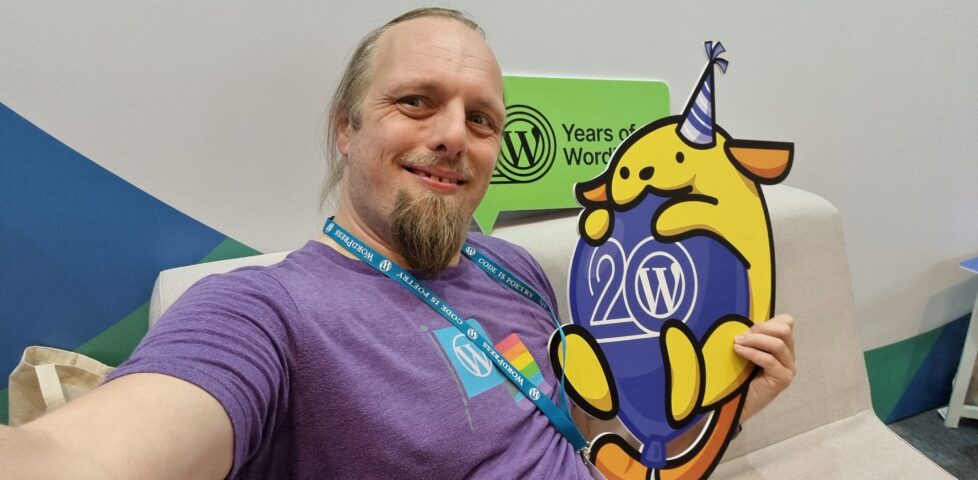
If you’d have told me in advance that hugging a Wapuu would have been a highlight of the day… yeah, that wouldn’t have been a surprise!
Networking And All That
There’s a lot of exhibitors with stands, but I tried to do a circuit or so and pay attention at least to those whose owners I’ve come into contact with in a professional
capacity. Many developers who make extensions for WooCommerce, of course, sell those extensions through WooCommerce.com, which means they come
into routine direct contact with my code (and it can mean that when their extension’s been initially rejected by our security scanners or linters, it’s me their developers first want to
curse!).
After a while, to spare some of that awkward exchange where somebody tries to sell me their product before I explain that I already sell their product for them, I slapped a
“Woo” sticker on my lanyard.
It’s been great to connect with people using WordPress to power the Web in a whole variety of different contexts, but it somehow still feels strange to me that WordPress has such a
commercial following! Even speaking as somebody who’s made their living at least partially out of WordPress for the last decade plus, it still feels to me like its greatest
value comes from its use for personal publishing.
The feel of a WordCamp with its big shiny sponsors is enormously different from, say, the intimacy and individuality of a Homebrew Website
Club meeting, and I think that’s something I still need to come to terms with. WordPress’s success story comes from many different causes, but perhaps chief among them is the fact
that it’s versatile enough to power the website of a government, multinational, or household-name brand… but also to run the smallest personal indie blog. I struggle to comprehend that,
even with my background.
My division of Automattic had a presence, of course.
I was proud of my colleagues for the “gimmick” they were using to attract people to the Woo stand: you could pick up a “credit card” and use it to make a purchase (of Greek olive oil)
using a website, see your order appear on the app at the backend in real-time, and then receive your purchase as a giveaway. The “credit
card” doubles as a business card from the stand, the olive oil is a real product from a real, local producer (who really uses WooCommerce to sell online!), and when you provide an email
address at the checkout you can opt-in to being contacted by the team afterwards. That’s some good joined-up thinking by my buddies in marketing!
Petya Petkova observed that it’s commonplace to take the easy approach and make a website look like… well, every other website. “Web
deja-vu” is a real thing, and it’s fed not only by the ebbs and flows of trends in web design but by the proliferation of indistinct themes that people just install-and-use.
How can we break free from web deja-vu, asks Petya. It almost makes me sad that her slides had been coalesced into the conference’s slidedeck design rather than being her own…
although on second though maybe that just helps enhance the point!
Choice of colours and typography can be used to tell a story, to instil a feeling, to encourage engagement. Scrolling can be used as a metaphor for storytelling (“scrolly-telling”,
Petya calls it). Animation flow can be used to direct a user’s attention and drive focus and encourage interaction.
A lot of the technical concepts she demonstrated – parts of a page that scroll at different speeds, typography that shifts or changes, videos used in a subtle way to accentuate other
content, etc. – can be implemented in the frontend with WebGL, Three.js and the like. Petya observes that moving this kind of content interactivity into the frontend can produce an
illusion of a performance improvement, which is an argument I’ve heard before, but personally I think it’s only valuable if it’s built as a progressive enhancement: otherwise, you’re
always at risk that your site won’t look like you’d hope.
I note, for example, that Petya’s agency’s site shows only an “endless spinner” when viewed in my browser (which blocks the code.jQuery CDN by
default, unless allowlisted for specific sites). All of the content is there, on the page, if you View Source, but it’s completely invisible if an external JavaScript fails to
load. That doesn’t just happen when weirdos like me disable JavaScript in their browsers: it can happen if the browser interacts badly with the script, or if the user’s Internet
connection is ropey, or a malware scanner misfires, or if government censorship blocks the CDN, or in any number of other conditions.
While I agree with Petya about the value of animation and interactivity to make sites awesome, I don’t think it can take second-place to ensuring the most-widespread access and
accessibility for your audience. Otherwise we’d still be making Flash sites, right?
So yeah: uniqueness and creativity are great, and I like what she’s proposing, but not the way she goes about it. The first person to ask a question wisely brought up accessibility, and
Petya answered well that accessibility technologies can bridge the gap, but I’d counter that it’s preferable to build accessible in the first instance: if you have to
use an aria- attribute it’s a good sign that you probably already did something wrong (not always, but it’s certainly a pointer that you ought to take a step back
and check!).
Several other good questions and great answers followed: about how to showcase a preliminary design when they design is dependent upon animation and interactivity (which I’ve witnessed
before!), on the value of server-side rendering of components, and about how to optimise for smaller screens. Petya clearly knows her stuff in all of these areas and had confident
responses.
Oliver Sild is the kind of self-taught hacker, security nerd, and community builder that I love, so I wasn’t going to miss his talk.
The number of security vulnerability reports in the WordPress ecosystem is up +328%, Oliver opened. But the bugs being reported are increasingly old, so we’re not talking
about new issues being created. And only 0.3% of bugs were in WordPress Core (and were patched before they were exploitable).
It’s good news in general in WordPress Security-land… but CSRF is on the up-and-up (overtaking XSS) in the plugin space. That, and all the broken access control we see in the admin area, are things I’ll be keeping in mind next time I’m arguing
with a vendor about the importance of using nonces and security checks in their extension (I have this battle from time to time!).
But an interesting development is the growth of the supply chains in the WordPress plugin ecosystem. Nowadays a plugin might depend upon another plugin which might depend upon a
library… and a patch applied to the latter of those might take time to be propagated through the chain, providing attackers with a growing window of opportunity.
I love a good Sankey chart. Even when it says scary things.
A worrying thought is that while plugin directory administrators will pull and remove plugins that have longstanding unactioned security issues. But that doesn’t help the sites that
already have that plugin installed and are still using it! There’s a proposal to allow WordPress to notify admins if a plugin
used on a site has been dropped for security reasons, but it was opened 9 years ago and hasn’t seen any real movement, soo…
I like that Oliver plugged for security researchers being acknowledged as equal contributors to developers on your software. But then, I would say that, as somebody who breaks into
things once in a while and then tells the affected parties how to fix the problem that allowed me to do so! He also provided a whole wealth of tips for site owners and agencies to try
to keep their sites safe, but little that I wasn’t aware of already.
Still, good to see this talk get as good an audience as it did, given the importance of the topic!
It was about this point in the day, glancing at my schedule and realising that at any given time there were up to four other sessions running simultaneously, that I really got
a feel for the scale of this conference. Awesome. Meanwhile, Oliver was fielding the question that I’m sure everybody was thinking: with Gutenberg blocks powered by JavaScript that are
often backed by a supply-chain of the usual billion-or-so files you find in your .node_modules directory, isn’t the risk of supply chain attacks increasing?
Spoiler: yes. Did you notice earlier in this post I mentioned that I don’t use Gutenberg on this site yet?
When the Jetpack team told me that they’ve been improving their cloud offering, this wasn’t what I expected.
My first “workshop” was run by Giulia Laco, on the topic of readable content and design.
Designers to the left of me, coders to the right: here I am, stuck in the middle with you.
Giulia began by reminding us how short the attention span of Web readers is, and how important the right typographic choices are in ensuring that people actually read your content. I
fully get this – I think that very few people will have the attention span to read this part of this very blog post, for example! – but I loved that she hammered the point home
by presenting every slide of her presentation twice (or more), “improving” the typographic choices as she went along: an excellent and memorable quirk.
Our capacity to read and comprehend a text is affected by a combination of common (distance, lighting, environment, concentration, mood, etc.), personal (age, proficiency, motiviation,
accessibility requirements, etc.), and typographic (face, style, size, line length and spacing, contrast, width, rhythm etc.) factors. To explore the impact of the typographic factors,
the group dived into a pre-prepared Codepen and a shared Figma diagram. (I immediately had a TIL moment over the font-synthesis: CSS property!)
I appreciated that Giulia stressed the importance of a fallback font. Just like the CDN issues I described above while talking about JavaScript dependencies, not specifying a fallback
font puts your design at the mercy of the browser’s defaults. We don’t like to think about what happens when websites partially fail, but they do, and we should.
Things get interesting at the intersection of readability and accessibility. For example, WCAG accessibility requirements demand that you don’t use images of text (we used to
do this a lot back before we could reliably use fonts on the web, and before we could easily have background images on e.g. buttons for navigation). But this accessibility
requirement also aids screen readability when accounting for e.g. “retina” screens with virtual pixel ratios.
Do you remember when a pixel was the size of a pixel? Those days are long gone. True story.
Giulia provided a great explanation of why we may well think in pixels (as developers or digital designers) but we’re unlikely to use them everywhere: I’d internalised
this lesson long ago but I appreciated a well-explained justification. The short of it is: screen zoom (that fancy zoom feature you use in your browser all the time, especially on
mobile) and text zoom (the one you probably don’t use, or don’t use so much) are different things, and setting a pixel-based font size in the root node wrecks the latter, forcing some
people with accessibility needs to use the former, which is likely to result in vertical scrolling. Boo!
I also enjoyed seeing this demo of how the different hyphenation-points in different languages (because of syllable stress) can impact on
your wrapping points/line lengths when content is translated. This can affect any website, of course, because any website can be the target of automatic translation.
Plus, Giulia’s thoughts on the value of serifed fonts (even on digital displays) for improving typographic readability of the letters d, b, p and q which are often mirror- or
rotationally-symmetric to one another in sans-serif fonts. It’s amazing to have something – in this case, a psychological letter transposition – pointed out that I’ve experienced but
never pinned down the reason for, before. Neat!
It was a shame that this workshop took place late in the day, because many of the participants (including me) seemed to have flagging energy levels!
Altogether a great (but intense) day. Boggles my mind that there’s another one like it tomorrow.
Among the many perks of working for a company with a history so tightly-intertwined with that of the open-source WordPress project is that license to attend WordCamps – the biggest WordPress conferences – is basically a
given.
It’s frankly a wonder that this is, somehow, my first WordCamp. As well as using it1 and developing atop
it2,
of course, I’ve been contributing to WordPress since 2004 (albeit only in a tiny way, and not at all for most of the last decade!).
If you already know what WP-CLI is… let’s be friends.
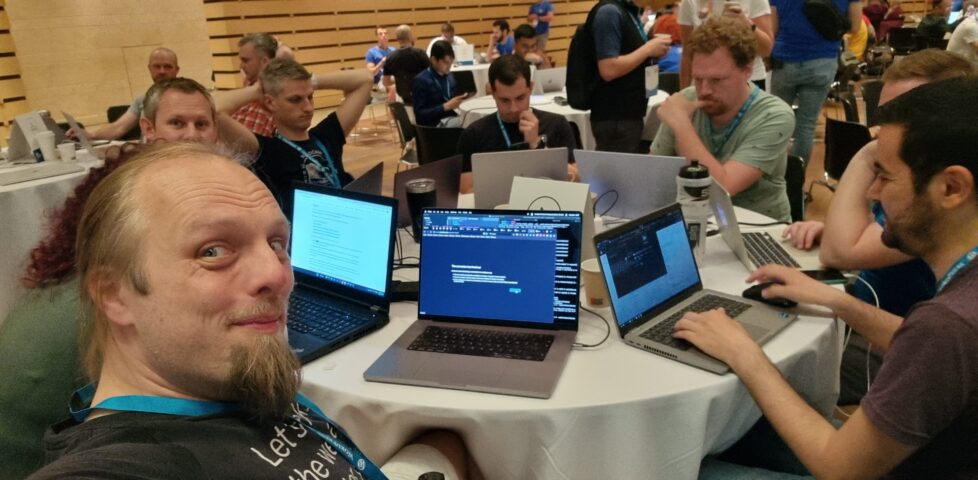
Today is Contributor Day, a pre-conference day in which folks new and old get together in person to hack on WordPress and WordPress-adjacent projects. So I met up with Cem, my Level 4 Dragonslayer friend, and we took an ultra-brief induction into WP-CLI3
before diving in to try to help write some code.
Contributor Days are about many things, but perhaps their biggest value comes from lowering the barrier to becoming a new contributor to an open-source project by sitting you
right next to somebody who already knows it well.
So today, as well as meeting some awesome folks, I got to write an overly-verbose justification for a
bug report being invalid and implement my first PR for WP-CLI: a bugfix for a strange quirk in output formatting.
The bug I fixed is slightly hard to describe (and even harder to explain why it matters), but here’s a summary: when you run a WP-CLI command that first displays a table and
then the result, the result is likely to always appear in colour even if you specify --no-color.
I hope to be able to continue contributing to WP-CLI. I learned a lot about it today, and while I don’t use it as much as I used to in my multisite-management days, I still really
respect its power as a tool.
Did I mention lately how awesome my employers are? I promise my blog’s not always gonna be me shilling for them… but today it is.
Footnotes
1 Even with the monumental stack of custom code woven into DanQ.me, a keen eye will
probably spot that it’s WordPress-powered.
3 WP-CLI is… it’s like Drush but for WordPress, if that makes sense to you? If not: it’s a
multifaceted command-line tool for installing, configuring, maintaining, and managing WordPress installations, and I’ve been in love with it for years.
What a great statue! Cache was very easy to find; despite its camo it was very visible as I walked along the adjacent path. Thanks for bringing me out of my way on my walk from my hotel
to the conference I’m attending, and TFTC. Greetings from Oxfordshire, UK!
Walking from my hotel to the site of a conference I’m attending, this morning, I stopped to find this cache. It took an embarrassingly
long time for me to spot this sneaky little container! Greetings from Oxford, UK, and TFTC!
Automattic has acquired the ActivityPub plugin for WordPress from German developer Matthias Pfefferle, who will be joining the company to continue improving support for federated platforms. Pfefferle, who is also the
author of the Webmention plugin, said his new role is to see how Automattic’s products can benefit from open protocols like
ActivityPub.
…
This is so exciting I might burst. Want to know why?
Matt Mullenweg‘s commitment to ActivityPub makes me happy. WordPress made Pingback and Trackback take off, back
in the day, and I believe that – in the same way – Automattic can help make ActivityPub more accessible and mainstream too.
Matthias Pfefferle is both an IndieWeb and an ActivityPub star; I use (and I’ve extented upon) a lot of code he’s written every day and
I sponsor him on Github! The chance that we get to work directly together is pretty slim, but it’s a chance right?
Susan A. Kitchens expressed concern that this could increase the level of
ActivityPub spam out there (which right now is very low). I worry about that too. But I’m still optimistic that we can make something awesome off the back of this acquisition and keep
the interpersonal Web federated, the way it ought to be.
You know who’s having a killer month? Automattic. Everyone who’s leaving Twitter seem to fall in at least one of these three camps:
They have gone back to the blogosphere. (using WordPress, or WordPress.com)
They have gone to Tumblr
They have gone to the fediverse (of which a fairly large percentage are WordPress installs)
In all of these cases, Automattic wins.
…
Some smart observations here by Alex. A fourth point worth noting is that Matt has openly suggested that former Twitter engineers might like to come join us in Automattic and help make the web a
better place. We’ve changed our careers pages a little lately but we’re still the same awesome
company!
I’ll be downright shocked if Matt isn’t working very hard to get Tumblr on the fediverse ASAP. He has so much to gain in supporting this movement, and very little to lose.
That’s definitely on his mind too, which I can safely say without leaking anything because he’s hinted at it himself. Exciting times.
This weekend I was experimentally reimplenting how my blog displays comments. For testing I needed to find an old post with both trackbacks and pingbacks on it. I found my post that you linked, here, and was delighted to be reminded that despite both of our blogs changing domain name (from photomatt.net to ma.tt
and from blog.scatmania.org to danq.me, respectively), all the links back and forth still work perfectly because clearly we share an apporopriate dedication to the principle that
Cool URIs Don’t Change, and set up our redirects accordingly. 🙌
Incidentally, this was about the point in time at which I first thought to myself “hey, I like what Matt’s doing with this Automattic thing; I should work there someday”. It took me
like a decade to a decade-and-a-half to get around to applying, though… 😅
Anyway: thanks for keeping your URIs cool so I could enjoy this trip down memory lane (and debug an experimental wp_list_comments callback!).
That’s a really useful thing to have in this new age of the web, where Refererer: headers are no-longer commonly passed cross-domain and Google Search no longer provides the link: operator. If you want to know if I’ve ever
linked to your site, it’s a bit of a drag to find out.
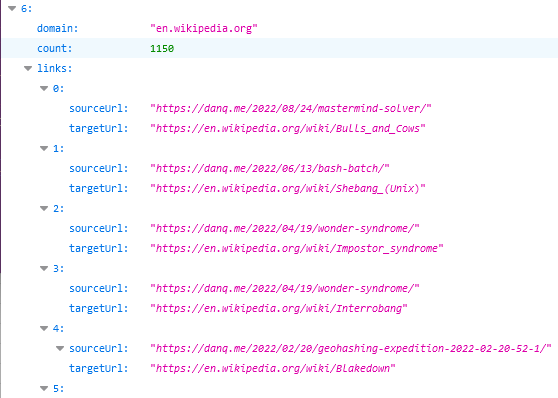
To nobody’s surprise whatsoever, I’ve made a so many links to Wikipedia that I might be single-handedly responsible for their PageRank.
So, obviously, I’ve written an implementation for WordPress. It’s really basic right now, but the source code can be
found here if you want it. Install it as a plugin and run wp outbound-links to kick it off. It’s fast: it takes 3-5 seconds to parse the entirety of danq.me,
and I’ve got somewhere in the region of 5,000 posts to parse.
You can see the results at https://danq.me/.well-known/links – if you’ve ever wondered “has Dan ever linked to my site?”, now you can find the
answer.
If this could be useful to you, let’s collaborate on making this into an actually-useful plugin! Otherwise it’ll just languish “as-is”, which is good enough for my purposes.
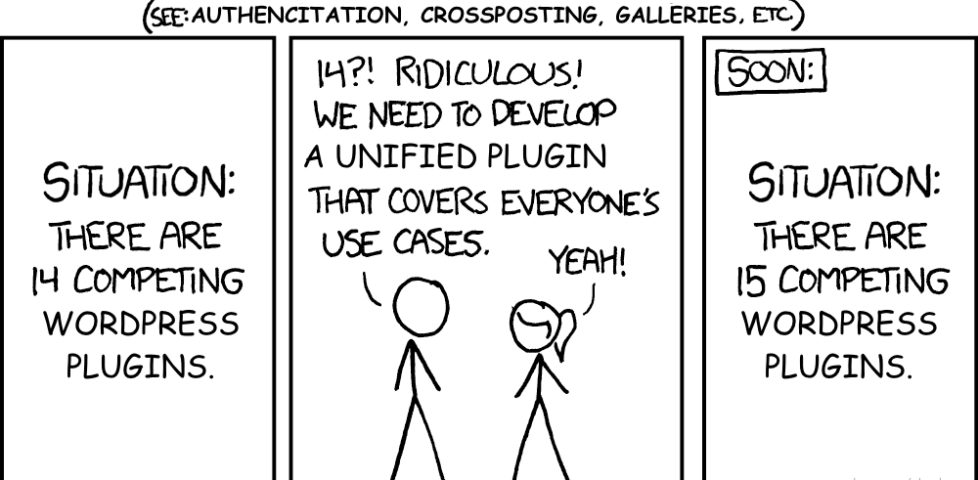
Almost nerdsniped myself when I discovered several #WordPress plugins that didn’t quite
do what I needed. Considered writing an overarching one to “solve” the problem. Then I remembered @xkcdcomic
927…
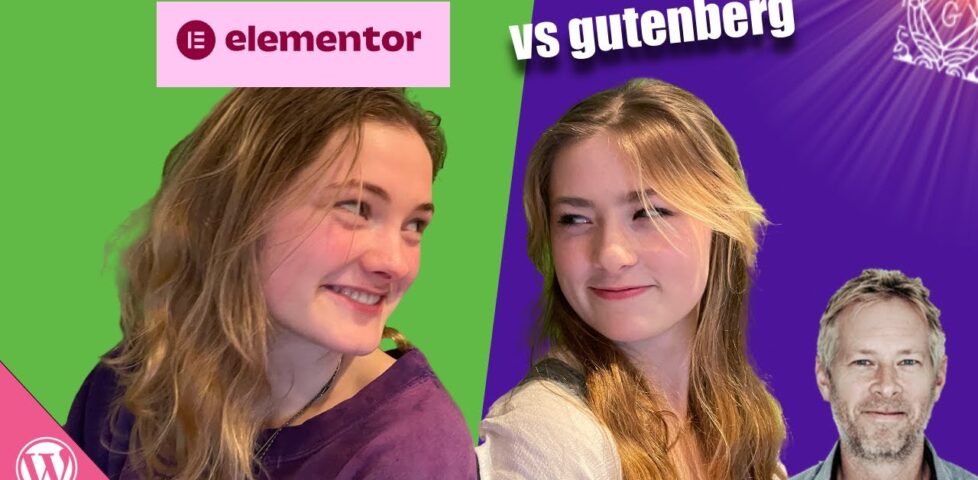
What happens when you give Gutenberg and Elementor to complete Beginners? In this challenge, Meg and Lily (two of my daughters) are tasked with re-creating a webpage. They’ve never
used Elementor or Gutenberg before, and I only gave them 30 minutes each.
…
Jamie of Pootlepress challenged his daughters – who are presumably both digital natives, but have no WordPress experience – to build a page to a specific design using both Gutenberg and Elementor. In 30 minutes.
Regardless of what you think about the products under test or the competitors in the challenge (Lily + Gutenberg clearly seems to be the fan favourite, which I’d sort-of expect because
IMO Gutenberg’s learning curve is much flatter that Elementor’s), this is a fantastic example of “thinking aloud” (“talkalong”)
UX testing. And with (only) a £20 prize on offer, it’s possibly the best-value testing of its type I’ve ever seen too! Both the
participants do an excellent job of expressing their praise of and frustration with different parts of the interface of their assigned editing platform, and the developers of both – and
other systems besides – could learn a lot from watching this video.
Specifically, this video shows how enormous the gulf is between how developers try to express concepts that are essential to web design and how beginner users assume things will work.
Concepts like thinking in terms of “blocks” that can resize or reposition dynamically, breakpoints, assets as cross-references rather than strictly embedded within documents, style as
an overarching concept by preference to something applied to individual elements, etc… some as second nature once you’re sixteen levels deep into the DOM and you’ve been doing it for years! But they’re rarely intuitive… or, perhaps, not expressed in a way that makes them intuitive… to new users.
Wix, the website builder company you may remember from stealing WordPress code and lying about it, has now decided the best way
to gain relevance is attacking the open source WordPress community in a bizarre
set of ads. They can’t even come up with original concepts for attack ads, and have tried to rip-off of Apple’s Mac vs PC ads, but tastelessly personify the WordPress community
as an absent, drunken father in a therapy session.
I have a lot of empathy for whoever was forced to work on these ads, including the actors, it must have felt bad working on something that’s like Encyclopedia Britannica
attacking Wikipedia. WordPress is a global movement of hundreds of thousands of volunteers and community members, coming together to make the web a better place. The code,
and everything you put into it, belongs to you, and its open source license ensures that you’re in complete control, now and forever. WordPress is free, and also gives you freedom.
…
For those that haven’t been following the relevant bits of tech social media this last week, here’s the insanity you’ve missed:
Wix’s Twitter and YouTube responses suddenly swing from their usual “why is your customer service so slow to respond to me?” level of negative to outright hostile. LOL.
Sure, I’m not the target audience. I’ve been a WordPress user for 15 years, and every time I visit a Wix site it annoys me when I have to permit a stack of third-party JavaScript just
to load images like they’ve never heard of the <img>tag or something. Hell, I like WordPress enough that I used it as a
vehicle to get a job with Automattic, a company most-famous for its WordPress hosting provision. But even putting all of that aside: this
advertising campaign stinks.
May 27th, 17 years ago, the first release of WordPress was put into the world by Mike Little and myself. It did not have an installer, upgrades, WYSIWYG editor (or hardly any
Javascript), comment spam protection, clean permalinks, caching, widgets, themes, plugins, business model, or any funding.
…
Seventeen years ago, WordPress was first released.
Sixteen years, eleven months ago, I relaunched I relaunched my then-dormant blog. I considered WordPress/b2/cafelog, but went with a
now-dead engine called Flip instead.
Fifteen years, ten months ago, in response to a technical failure on the server I was using, I lost it all and had to recover my posts from backups. Immediately afterwards, I took the opportunity to redesign my blog and switch to WordPress. On the same day, I attended the graduation ceremony for my first degree (but somehow didn’t think this was worth blogging
about).
Fifteen years, nine months ago, Automattic Inc. was founded to provide managed WordPress hosting services. Some time later, I thought to myself: hey, they seem like a cool company, and
I like everything Matt’s done so far. I should perhaps work there someday.