Today I Rescued 7,234 Old GIFs

This week, GlitchyZorua brought to my attention the Ibiblio Icon Browser, a collection of many thousands of GIF icons curated in the 1990s by Gioacchino La Vecchia. Glitchy’s goal was to archive a copy of all of the icons, which was turning out to be… challenging.

A more-90s website you’re unlikely to see today.

It looks pretty simple: (a) an index page, leading to (b) 24 sub-index pages, leading to (c) 57 icon directory pages, representing (d) 114 icon collections, containing anywhere up to (e) 7,296 icons, mostly but not always 32×32 pixels. Right?

But the challenge comes when you try to go from a directory page to an icon file. It looks like you’re clicking a link, but really you’re clicking… an imagemap.

I’ve talked about imagemaps before, but the essence of them is that you define areas of an image that, when clicked, hyperlink to different places. The most-common way of doing these was always client-side imagemaps, where the HTML code itself contained all of the coordinates and, crucially, the resulting destinations. But that’s not what kind of imagemap this is.

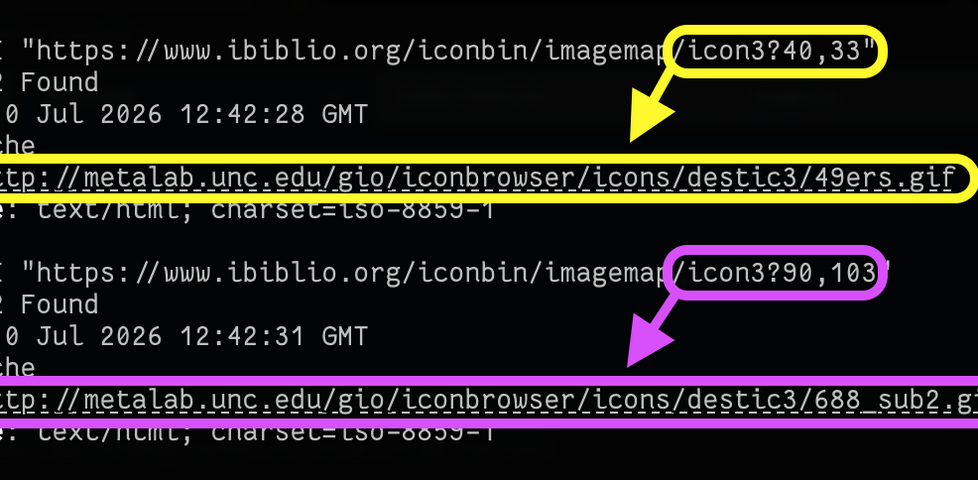
Demonstration using curl of a request to an image map URL, including a pair of coordinates as the query string, resulting in two different redirects as a result of two different coordinate pairs.
A server-side imagemap asks your browser to send the pixel coordinates that were clicked-on, as the query string. In the case of this server, that gets decoded server-side and you’re redirected based on where you clicked.

This one’s a server-side imagemap. The HTML code looks like this… and there are no URLs for the resulting library of GIF files anywhere to be seen:

<a href="/iconbin/imagemap/icon3">
  <img src="destic3/icons.gif" ismap>
</a>

That ismap attribute is what tells your browser to send the coordinates that you clicked-at.

Directory indexing is disabled, so we can’t just knock the image filename off the end of the URL and inspect. So how are we to get these images, short of manually, painstakingly, clicking on each one of them? That’s what GlitchyZorua was wondering when I turned up with some bright ideas…

(We’re clearly not the only people who struggled: archive.org hadn’t managed to collect a full set of the icons either.)

Fortunately, we can work out a little something about the gallery images. Exploration of the site shows that they’re always laid out in a grid of up to 8×8, with each (including its size information) occupying a space of 72×89 pixels:

Gallery of 64 images with a particular row and column highlighted to show the boundaries of what's believed to be a particular 'hit target' within it.
A little experimentation shows that clicking anywhere within the intersection area results in a redirect to the same image.

The webserver seems to be running Apache, so it’s probably using something like mod_imagemaps to manage its server-side imagemaps. We can imagine that somewhere on the server there’s probably a file that looks a bit like this, mapping rectangular coordinate pairs to redirect URLs:

# icon3 images:
base destic3/
#    filename  |  top left  |  bottom right
# -------------+------------+----------------
rect 49ers.gif         0,0            72,89
rect 49ers1.gif       73,0           145,89
rect 4dos.2.gif      146,0           217,89
rect 4dos.gif        218,0           289,89
# ... and so on for all 64 images in this collection!
I sincerely hope that La Vecchia had some automated process that he used to produce the thousands of lines of configuration that he needed, and he didn’t write his files by hand!

We don’t have access to those configuration files, but we can infer what hit areas they might have. If each hit area is 72×89 pixels, we can hit the centre of the top-left one at 36×44 and then just keep adding on 72 and 89 pixels to permute the centrepoints of all the hit areas.

In pseudocode, what we’d need to do is:

  • For each library from 1 to 113,
    • For each X coordinate from the set {36, 108, 180, 252, 324, 396, 468, 540}
      • For each Y coordinate from the set {44, 133, 222, 311, 400, 489, 578, 667}
        1. Generate a URL of the form:
          https://www.ibiblio.org/iconbin/imagemap/icon{library}?{x},{y}
        2. Make a HTTP HEAD request to that URL
        3. If you get a HTTP 302 (redirect) response code, record the resulting Location:

That gets us the URL of every one of the thousands of GIFs on the service. Next, we can use wget to download each of them. Sorted!

But we can do one better: once we’ve got all the icons, we can present them in a new website. One without server-side image maps, and with a working search. So that’s what I did. I hacked together a very basic static site generator using Ruby and ERB templates, that produces a gallery with pagination (mirroring the page numbers from the original), plus client-side search. And of course the whole repository can be cloned if you just want a copy of the icons for yourself:

I think my modernised version of this icon library is, while basic, a huge improvement upon the original… (thanks in large part to the advancement of Web technologies in the intervening years!).

Anyway: if you’d like to browse the library in its new form, it’s at ibiblio-icon-archive.danq.dev. It… looks its age, but at least now it’s accessible to the world and able to be archived for posterity.

× ×

Evolving Computer Words: “GIF”

This is part of a series of posts on computer terminology whose popular meaning – determined by surveying my friends – has significantly diverged from its original/technical one. Read more evolving words…

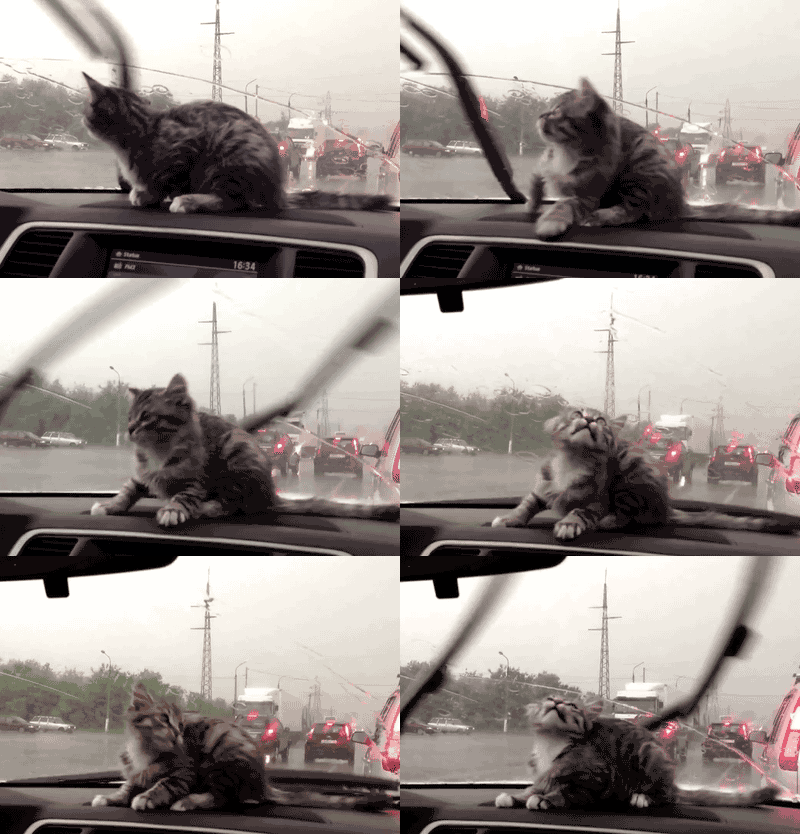
The language we use is always changing, like how the word “cute” was originally a truncation of the word “acute”, which you’d use to describe somebody who was sharp-witted, as in “don’t get cute with me”. Nowadays, we use it when describing adorable things, like the subject of this GIF:

[Animated GIF] Puppy flumps onto a human.
Cute, but not acute.
But hang on a minute: that’s another word that’s changed meaning: GIF. Want to see how?

GIF

What people think it means

File format (or the files themselves) designed for animations and transparency. Or: any animation without sound.

What it originally meant

File format designed for efficient colour images. Animation was secondary; transparency was an afterthought.

The Past

Back in the 1980s cyberspace was in its infancy. Sir Tim hadn’t yet dreamed up the Web, and the Internet wasn’t something that most people could connect to, and bulletin board systems (BBSes) – dial-up services, often local or regional, sometimes connected to one another in one of a variety of ways – dominated the scene. Larger services like CompuServe acted a little like huge BBSes but with dial-up nodes in multiple countries, helping to bridge the international gaps and provide a lower learning curve than the smaller boards (albeit for a hefty monthly fee in addition to the costs of the calls). These services would later go on to double as, and eventually become exclusively, Internet Service Providers, but for the time being they were a force unto themselves.

CompuServe ad circa 1983
My favourite bit of this 1983 magazine ad for CompuServe is the fact that it claims a trademark on the word “email”. They didn’t try very hard to cling on to that claim, unlike their controversial patent on the GIF format…

In 1987, CompuServe were about to start rolling out colour graphics as a new feature, but needed a new graphics format to support that. Their engineer Steve Wilhite had the idea for a bitmap image format backed by LZW compression and called it GIF, for Graphics Interchange Format. Each image could be composed of multiple frames each having up to 256 distinct colours (hence the common mistaken belief that a GIF can only have 256 colours). The nature of the palette system and compression algorithm made GIF a particularly efficient format for (still) images with solid contiguous blocks of colour, like logos and diagrams, but generally underperformed against cosine-transfer-based algorithms like JPEG/JFIF for images with gradients (like most photos).

GIF with more than 256 colours.
This animated GIF (of course) shows how it’s possible to have more than 256 colours in a GIF by separating it into multiple non-temporal frames.

GIF would go on to become most famous for two things, neither of which it was capable of upon its initial release: binary transparency (having “see through” bits, which made it an excellent choice for use on Web pages with background images or non-static background colours; these would become popular in the mid-1990s) and animation. Animation involves adding a series of frames which overlay one another in sequence: extensions to the format in 1989 allowed the creator to specify the duration of each frame, making the feature useful (prior to this, they would be displayed as fast as they could be downloaded and interpreted!). In 1995, Netscape added a custom extension to GIF to allow them to loop (either a specified number of times or indefinitely) and this proved so popular that virtually all other software followed suit, but it’s worth noting that “looping” GIFs have never been part of the official standard!

Hex editor view of a GIF file's metadata section, showing Netscape headers.
Open almost any animated GIF file in a hex editor and you’ll see the word NETSCAPE2.0; evidence of Netscape’s role in making animated GIFs what they are today.

Compatibility was an issue. For a period during the mid-nineties it was quite possible that among the visitors to your website there would be a mixture of:

  1. people who wouldn’t see your GIFs at all, owing to browser, bandwidth, preference, or accessibility limitations,
  2. people who would only see the first frame of your animated GIFs, because their browser didn’t support animation,
  3. people who would see your animation play once, because their browser didn’t support looping, and
  4. people who would see your GIFs as you intended, fully looping

This made it hard to depend upon GIFs without carefully considering their use. But people still did, and they just stuck a Netscape Now button on to warn people, as if that made up for it. All of this has happened before, etc.

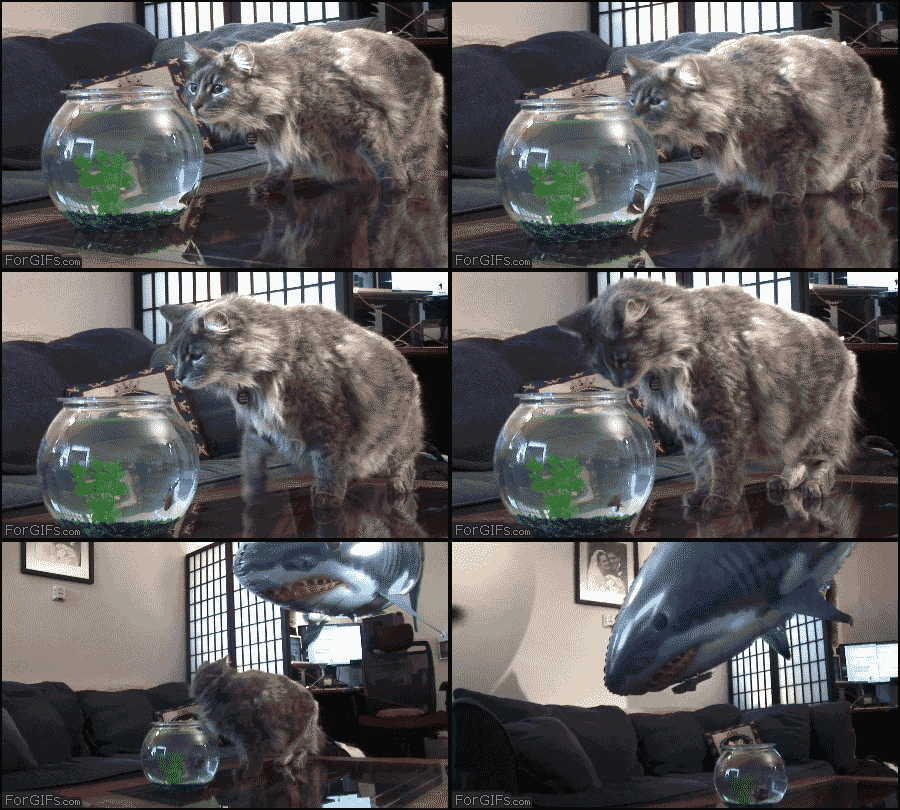
In any case: as better, newer standards like PNG came to dominate the Web’s need for lossless static (optionally transparent) image transmission, the only thing GIFs remained good for was animation. Standards like APNG/MNG failed to get off the ground, and so GIFs remained the dominant animated-image standard. As Internet connections became faster and faster in the 2000s, they experienced a resurgence in popularity. The Web didn’t yet have the <video> element and so embedding videos on pages required a mixture of at least two of <object>, <embed>, Flash, and black magic… but animated GIFs just worked and soon appeared everywhere.

Magic.
How animation online really works.

The Future

Nowadays, when people talk about GIFs, they often don’t actually mean GIFs! If you see a GIF on Giphy or WhatsApp, you’re probably actually seeing an MPEG-4 video file with no audio track! Now that Web video is widely-supported, service providers know that they can save on bandwidth by delivering you actual videos even when you expect a GIF. More than ever before, GIF has become a byword for short, often-looping Internet animations without sound… even though that’s got little to do with the underlying file format that the name implies.

What's a web page? Something ducks walk on?
What’s a web page? What’s anything?

Verdict: We still can’t agree on whether to pronounce it with a soft-G (“jif”), as Wilhite intended, or with a hard-G, as any sane person would, but it seems that GIFs are here to stay in name even if not in form. And that’s okay. I guess.

× × × × × ×