You don’t have to differentiate by post kind.
You don’t have to put full contents in your feed.
You don’t have to keep a library of “maybe-some-day”
drafts so long that you’ll never reach the bottom.
You don’t have to have a feature image.
You don’t have to keep posts up forever.
You don’t have to have tags.
You don’t have to syndicate to the socials.
You don’t have to use any particular tool.
Bloggers who spend their time arguing
About vs vs ʕ•ᴥ•ʔ vs
Could be reading and writing instead.
You don’t have to have a plan to “monetize”.
You don’t have to write your own theme.
You don’t have to be run your own server.
You don’t have to make every post your best.
Note to self: ignore search results that say to install a plugin; the absolute fastest way to send a test email from a WordPress/ClassicPress installation (assuming
you’re using WP-CLI) is just to run something like:
wp eval 'wp_mail("recipient@example.com", "Test Email", "A test email from WP-CLI");'
Because I have access to wp-config.php, I added the following to my file:
define( 'WP_AI_SUPPORT', false );
…
A useful tip.
Personally, I’ve got what feels like an even-better approach (for me, at least) I switched to ClassicPress a year and a bit ago, and haven’t
looked back! It’s a stripped-down fork of WordPress with no Gutenberg, lighter JavaScript, and a handful of other features… plusClassicPress is already AI-free and staying that way.
This isn’t to say that you can’t use AI with ClassicPress. Just that you’re not having to install the feature if you’re never going to use it. With WordPress’s good plugin architecture
it seems strange to me that such divisive features would become part of the core product, but that just seems to be the direction that the project’s been going in for a while now.
It makes me sad to see the gradual disappearance of the contact form from personal websites. They generally feel more convenient than email addresses, although this is
perhaps part of the reason that they come under attack from spammers in the first place! But also, they provide the potential for a new and different medium: the comments
area (and its outdated-but-beautiful cousin the guestbook).
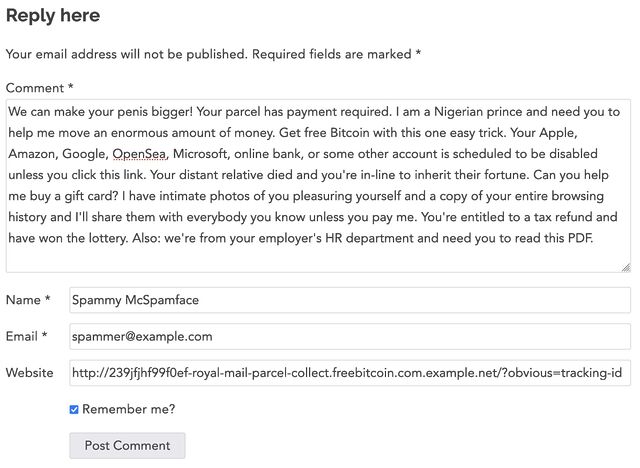
Comments are, of course, an even more-obvious target for spammers because they can result in immediate feedback and additional readers for your message. Plus – if they’re allowed to
contain hyperlinks – a way of leeching some of the reputability off a legitimate site and redirecting it to the spammers’, in the eyes of search engines. Boo!
Well this was painful to write.
But I’ve got to admit: there have been many times that I’ve read an interesting article and not interacted with it simply because the bar to interaction (what… I have
to open my email client!?) was too high. I’d prefer to write a response on my blog and hope that webmention/pingback/trackback do their thing, but will they? I don’t know in
advance, unless the other party says so openly or I take a dive into their source code to check.
Your Experience May Vary
I’ve had both contact/comment forms and exposed email addresses on my website for many years… and I feel like I get aproximately the same amount
of spam on both, after filtering. The vast majority of it gets “caught”. Here’s what works for me:
My contact/comments forms use one of a variety of unobtrustive “honeypot”-style traps. These “reverse CAPTCHAs” attempt to trick bots into interacting with them in some
particular way while not inconveniencing humans.
Antispam Bee provides the first line of defence, but I’ve got a few tweaks of my own to help counteract the efforts of
determined spammers.
Once you’ve fallen into a honeypot it becomes much easier to block subsequent contacts with the same/similar content, address, (short-term) IP, or the poisoned cookie you’re given.
Keyword filtering provides a further line of defence. E.g. for contact forms that post directly back to the Web (i.e. comment forms, and perhaps a future guestbook form), content
with links goes into a moderation queue unless it shares a sender email with a previously-approved sender. For contact forms that result in an email, I’ve just got a few “scorer” rules
relating to geo IP, keywords, number and density of links, etc. that catch the most-insidious of spam to somehow slip through.
I also publish email addresses all over the place, but they’re content-specific. Like Kev, I anticipated spam and so use unique email addresses on
different pieces of content: if you want to reply-by-email to this post, for example, you’re encouraged to use the address
b27404@danq.me. But this approach has actually provided secondary benefits that are more-valuable:
The “scrapers” that spam me by email would routinely send email to multiple different @danq.me addresses at the same time. Humans don’t send the same identical message
to me to different addresses published on my site and from different senders, so my spam filter picks up on this rightaway.
As a fringe benefit, this helps me determine the topic on an email where it’s unclear. E.g. I’ve had humans email me to say “I tried to follow the guide on your page but it didn’t
work for me” and I wouldn’t have had a clue which page had they not reached out via a page-specific email alias.
I enjoy the potential offered by rotating the email address generation mechanism and later treating all previously-exposed addresses as email honeypots.
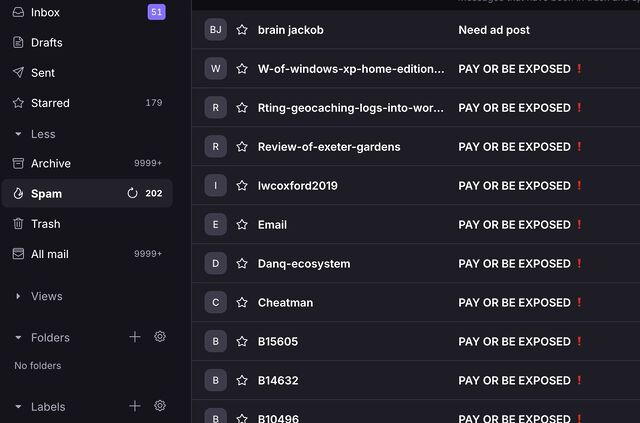
They’ve all got different “sender” addresses, but that fact that this series of emails were identical except for the different recipient aliases meant that catching them was very easy
for my spam filters.
Works For Me!
This strategy works for me: I get virtually no comment/contact form spam (though I do occasionally get a false positive and a human gets blocked as-if they were a robot), and very
little email spam (after my regular email filters have done their job, although again I sometimes get false positives, often where humans choose their subject lines poorly).
It might sound like my approach is complicated, but it’s really not. Adding a contact form honeypot is not significantly more-difficult than exposing automatically-rotating email
aliases, and for me it’s worth it: I love the convenience and ease-of-use of a good contact/comments form, and want to make that available to my visitors too!
(I also allow one-click reactions with emoji: did you see? Scroll down and send me a bumblebee! Nobody seems to have found a way to spam me with these, yet: it’s not a very expressive
medium, I guess!)
As I mentioned in my recent Blog Questions Challenge, I recently switched my blog from WordPress, which it had been running on for over 20 years of its 26 year history, to ClassicPress.1
I’m aware that I’m not the only person for whom ClassicPress might be a better fit
than WordPress2,
so I figured I should share the process by which I undertook the change.
Switching from WordPress to ClassicPress
Switching from WordPress to ClassicPress should be a non-destructive, 100% reversible process, but (even though I’ve got solid backups) I wasn’t ready to
trust that, so I decided to operate on a copy of my site. I’m glad I did, because there were a couple of teething issues I needed to tackle before I could launch.
1. Duplicating the site
I took a simple approach to duplicating the site: (1) I copied the site directory, and (2) I copied the database, and (3) I set up a new subdomain to use for testing. Here’s how I did
each step:
1.1. Copying the site directory
This should’ve been simple, but a du -sh revealed that my /wp-content/uploads directory is massive (I should look into that) and I didn’t want to
clone it. And I didn’t want r need to clone my /wp-content/cache directory either. So I ran:
rsync -av --exclude=wp-content ./old-site-directory/ ./new-site-directory/ to copy everything exceptwp-content, and then
rsync -av --exclude=uploads --exclude=cache ./old-site-directory/wp-content/ ./new-site-directory/wp-content/ to copy wp-contentexcept the
uploads and cache subdirectories, and then finally
ln -s ./old-site-directory/wp-content/uploads ./new-site-directory/wp-content/uploads to symlink the uploads directory, sharing it between the two sites
1.2. Copying the database
I just piped mysqldump into mysql to clone from one database to the other:
mysqldump -uUSERNAME -p --lock-tables=false old-site-database | mysql -uUSERNAME -p new-site-database
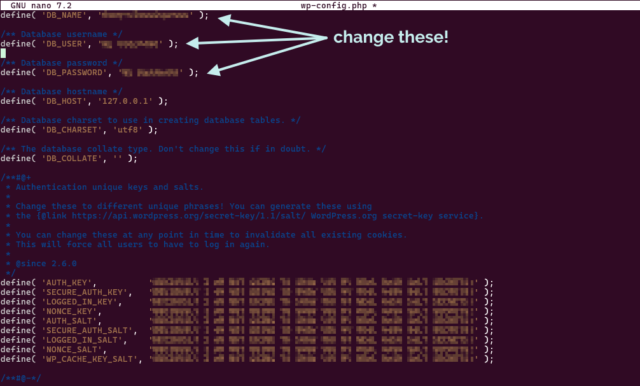
I edited DB_NAME in wp-config.php in the new site’s directory to point it at the new database.
If you’re going to clone your WordPress site before converting to ClassicPress, you’ll want to be comfortable editing your wp-config.php.
1.3. Setting up a new subdomain
My DNS is already configured with a wildcard to point (almost) all *.danq.me subdomains to this server already. I decided to use the name classicpress-testing.danq.me as my
temporary/test domain name. To keep any “changes” to my cloned site to a minimum, I overrode the domain name in my wp-config.php rather than in my database, by adding the
following lines:
Because I use Caddy/FrankenPHP as my webserver3,
configuration was really easy: I just copied the relevant part of my Caddyfile (actually an include), changed the domain name and the root, and it just worked,
even provisioning me out a LetsEncrypt SSL certificate. Magical4.
2. Switching the duplicate to ClassicPress
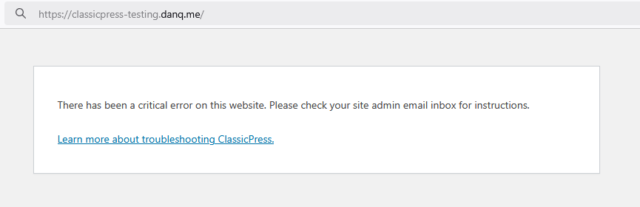
Now that I had a duplicate copy of my blog running at https://classicpress-testing.danq.me/, it was time to switch it to ClassicPress. I started by switching my wp-admin
colour scheme to a different one in my cloned site, so it’d be immediately visually-obvious to me if I’d accidentally switched and was editing the “wrong” site (I also made sure I was
logged-out of my primary, live site, so I was confident I wouldn’t break anything while I was experimenting!).
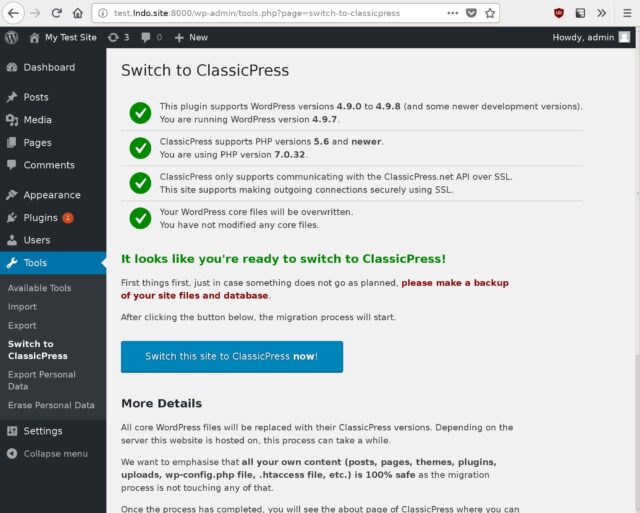
ClassicPress provides a migration plugin which checks for common problems and then switches your site
from WordPress to ClassicPress, so I installed it and ran it. It said that everything was okay except for my (custom) theme and a my self-built plugins, which it understandably couldn’t
check compatibility of. It recommended that I install Twenty Seventeen – the last WordPress default theme to not
require the block editor – but I didn’t do so: I was confident that my theme would work anyway… and if it didn’t, I’d want to fix it rather than switch theme!
I failed to take a screenshot of the actual process, but it looked broadly like this.
And then… it all broke.
3. Fixing what broke
After swiftly doing a safety-check that my live site was still intact, I started trying to work out why my site wasn’t broken. Debugging a ClassicPress PHP issue is functionally
identical to debugging a similar WordPress issue, for obvious reasons: check the logs, work out what’s broken, realise it’s a plugin, disable that plugin while you investigate further,
etc.
EWWW Image Optimizer: I use this plugin to pregenerate WebP variants of my images, which I then serve using webserver rules. It’s not a
complex job, and I should probably integrate the feature into my theme at some point, but for now I use this plugin. Version 8.0.0 of the plugin doesn’t work on ClassicPress 2.3.1, so
I used WP-CLI to downgrade to the last version that does (7.7.0), and then it worked fine.
Dan’s Geocaching Log Reposter: a self-made plugin that copies my logs from geocaching websites stopped working properly, which I think is because
ClassicPress is doing a more-aggressive job than WordPress at nonce validation on admin REST endpoints? I put a quick hack into my plugin to work around it, but I’ll need to look into
this properly at some point.
Some other bits of my stack, e.g. CapsulePress (my Gemini/Spartan/Nex server), have their own copies of my
database credentials, because I’ve been too lazy to centralise them into environment variables, and needed updating (but not until live switchover time).
I ran the two sites in-parallel for a couple of weeks, with the ClassicPress one as a “read only” version (so I didn’t pollute my uploads directory!), but it was pretty unnecessary
because it all worked pretty seamlessly, despite my complex stack of custom code. When I wanted to switch for-real, all I needed to do was swap the domain names over in my Caddyfile and
edit the wp-config.php of my ClassicPress installation: step 1.3, but in reverse!
If you hadn’t been told5, you probably wouldn’t have even known I’d made a change: I suppress basically all infrastructure-identifying
headers from my server output as a matter of course, and ClassicPress and WordPress are functionally-interchangeable from a front-end perspective6.
So what’s difference?
From my experience, here are the differences I’ve discovered since switching from WordPress to ClassicPress:
The good stuff
😅 ClassicPress has no Gutenberg/block editor. This would absolutely be a showstopper for many people, and that’s fine: I have nothing against the block editor (I
use it basically every day elsewhere!), but I’ve never really used it on danq.me and don’t feel the need to change that! My theme, my workflow, and my custom plugins are all
geared around the perfectly-good “classic” editor, and so getting a more-lightweight CMS by removing a feature I wasn’t using anyway falls somewhere between neutral and a blessing.
⚡The backend is fast again! One of the changes the ClassicPress team have been working on applying to WordPress is to strip out jQuery and other redundancies from
the backend, and I love how much faster and lighter my editor interface is as a result. (With caveat; see below!)
🔌Virtually everything “just works”. With the few exceptions described above, everything works exactly as it does under WordPress. Which is what you’d hope for a fork
that’s mostly “WordPress, but without the block editor”, right, but it’s still reassuring (and, for me, an essential feature). There are a few “new” features to do with paging through
posts and the media library and they’re fine, I suppose, but not by themselves worth switching for (though it might be nice to backport them into WordPress!).
The bad stuff
🏷️ Adding tags to posts takes a step backwards. A side-effect of dropping jQuery is the partial loss of the autocomplete feature when selecting tags to add to a post.
You still get a partial autocomplete, but not after typing a comma: you need to press enter to submit the tag you were writing and then start typing them next, which
frankly sucks. This is because they’re relying on a <datalist>, which isn’t as full-featured as the Javascript solution WordPress employs. This bugs
me almost enough to be a showstopper, but I gather it’s getting fixed in a near-future version.
🗺️ You’re in uncharted territory when things go wrong. One great benefit of WordPress is the side-effects of its ubiquity. If you have a query or a problem
you can throw a stone at your favourite search engine and get a million answers… and some of them will even be right! If you have a problem in ClassicPress and it’s not shared with (or
you’re not sure if it’s shared with) WordPress… you’re mostly on your own. The forums are good and friendly,
but if you want a quick answer to something, you’re likely to have to roll your sleeves up and open some source code. I don’t mind this at all – when I first started using WordPress,
this was the case, too! – but it might be a showstopper for some folks.
In summary: I’m enjoying using ClassicPress, even where there are rough edges. For me, 99% of my experience with it is identical to how I used WordPress anyway, it’s relatively
lightweight and fast, and it’s easy enough to switch back if I change my mind.
Footnotes
1 It saddens me that I have to keep clarifying this, but I feel like I do: my switch from
WordPress to ClassicPress is absolutely nothing to do with any drama in the WordPress space that’s going on right now: in fact, I’d been planning to try it out since before
any of the drama appeared. I appreciate that some people making a similar switch, including folks who use this blog post as a guide, might have different motivations to me, and that’s
fine too. Personally, I think that ditching an installation of open-source WordPress based on your interpretation of what’s going on in the ecosystem is… short-sighted? But
hey: the joy of open source is you can – and should! – do what you want. Anyway: the short of it is – the desire to change from WordPress to ClassicPress was, for me, 100% a
technical decision and 0% a political one. And I’ll thank you for leaving any of your drama at the door if you slide into my comments, ta!
2Matt recently described ClassicPress as “the last decent fork
attempt for WordPress”, and I absolutely agree. There’s been a spate of forks and reimplementations recently. I’ve looked into many of them and been… very much underwhelmed. Want my
hot take? Sure, here you go: AspirePress is all lofty ideas and no deliverables. FreeWP seems to be the same, but somehow without the lofty ideas. ForkPress is a ghost. Speaking of
ghosts, Ghost isn’t a WordPress fork; they have got some cool ideas though. b2evolution is even less a WordPress fork but it’s pretty cool in its own right. I’m not sure what
clamPress is trying to achieve but I’ve not given it a serious look. So yeah: ClassicPress is, in my mind, the only WordPress fork even worth consideration at this point, and as I
describe in this blog post: it’s not for everybody.
3 I switched from Nginx over the winter and it’s been just magical: I really love
Caddy’s minimal approach to production configuration. The only thing I’ve been able to fault it on is that it’s not capable of setting up client-side SSL certificate authentication on
a path, only on an entire domain, which meant I needed to reimplement the authentication mechanism I use on a small part of my (non-blog) internal
infrastructure.
4 To be fair, it wouldn’t have been hard if I’d still be using Nginx, because I’d
set up Certbot to use DNS-based vertification to issue me wildcard SSL certificates. But doing this in Caddy still felt magical.
6 Indeed, I wouldn’t have considered a switch to ClassicPress in the first place if it
wasn’t a closely-aligned-enough fork that I retained the ability to flip-flop between the two to my heart’s content! I’ve loved WordPress for over two decades; that’s not going to
change any time soon… and if e.g. ClassicPress ceased tracking WordPress releases and the fork diverged too far for my comfort, I’d probably switch back to regular old WordPress!
[a quote from Ed Catmull’s book Creativity Inc.] made me think a lot about the early days of Gutenberg and the huge
resistance it had in the community, including causing the fork of ClassicPress. Now that we’re much further along there’s a pretty widespread acceptance of Gutenberg, and it’s
responsible for the vast majority of all WP posts and pages made, however if we had taken a vote for whether it should happen or not, it probably wouldn’t have ever gotten off the
ground.
What’s funny is if you go back even further, using a visual WYSIWYG editor in the first place was very controversial, and many people didn’t want the classic editor brought into
WordPress.
Long-term WordPresser here; I remember when 2.0 integrated TinyMCE and it was absolutely necessary to ensure that raw HTML editing
remained an option, clear and up-front. Which I’m glad of: I probably hit raw HTML about once a month when I’m blogging, to this day!
I was among those who strongly resisted Gutenberg. Nowadays I use it every day! But my primary personal blog, which was already almost six years old when it migrated to WordPress 1.2
back in 2004, still uses the classic editor. I enjoy that I have the freedom to do that.
When we talk about open source meaning freedom, this is the kind of thing we mean. Years ago, I was in charge of the CMS for a major academic
institution when the company behind that CMS made a gradual and concerted effort to become less-open-source. That CMS didn’t have the ecosystem
and community around it that WordPress has, and so no forks took off, and so my employer got locked-in to upgrading to a new version that was mostly-closed-source and was in some ways
inferior. Ugh.
(Incidentally, I got them off that CMS: they’re now using a mixture of WordPress and Drupal for most of their
systems. Open source won.)
Change isn’t always good. But open source provides the freedom to embrace change in the way that suits you best.
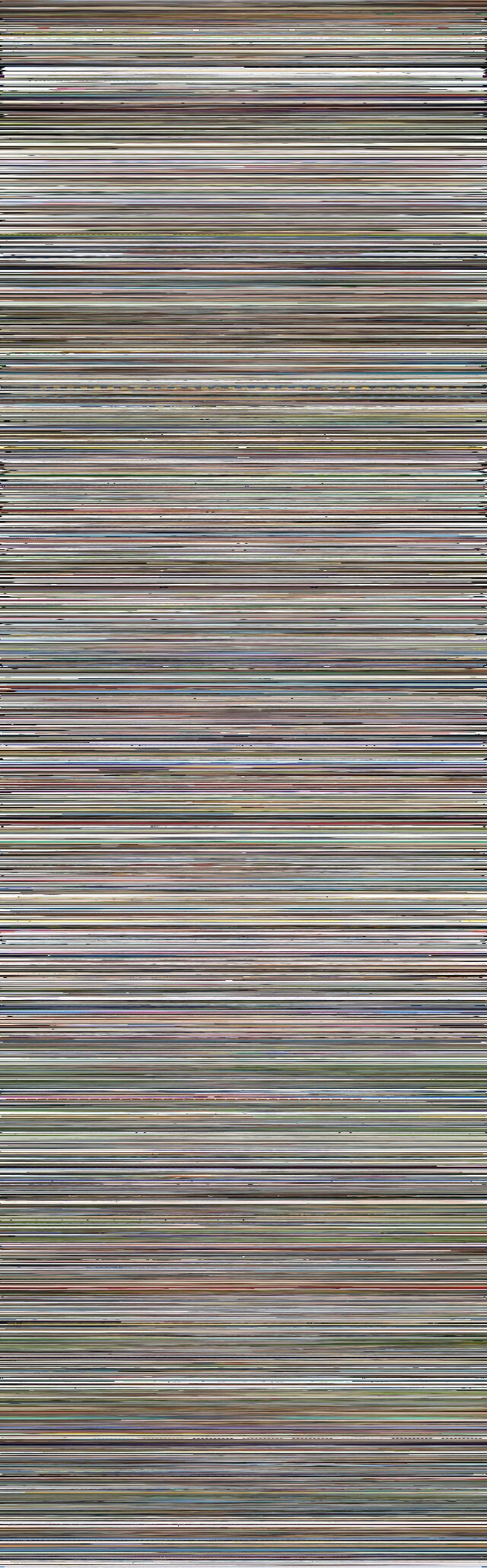
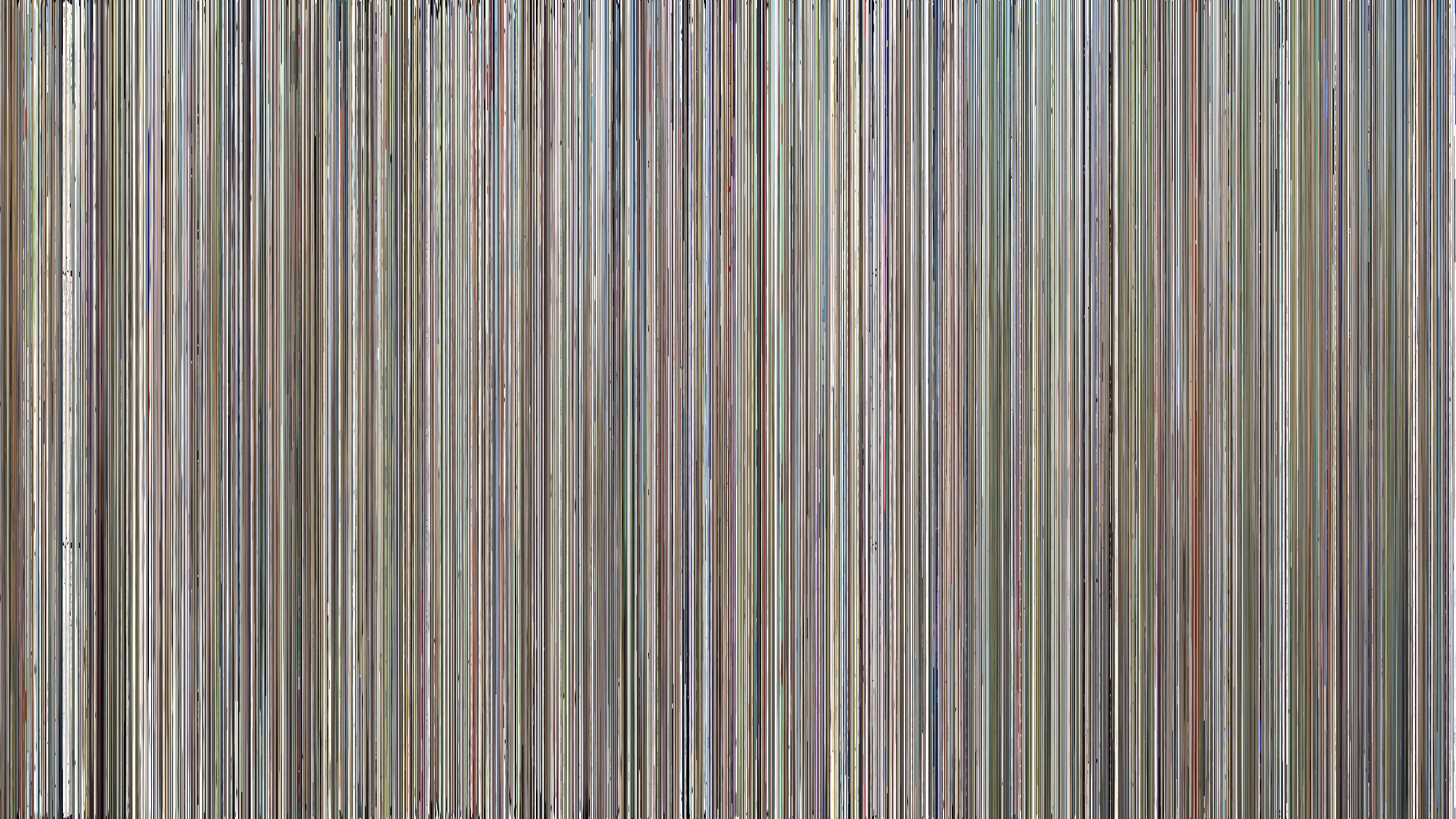
Last week, I discovered Geneveive Raine‘s “The Continuum”, a super-compressed image comprised of
1-pixel-tall versions of her home page’s daily banners, stitched together1.
I thought it was a beautiful idea, so I stole adapted it to produce an illustration based on the featured images of my blog posts:
Only about 38% of my 5,445 blog posts have featured images suitable for use in this diagram. But here they are!
I generated a horizontal version too, but I’ve used the vertical version above because it’s
more-suitable for use with a HTML imagemap2.
Here’s the code I used to generate the images (and the imagemap), if you want to run it against your own
WordPress-ish blog.
Footnotes
1 Which was in-turn inspired by Movie
Iris, a tool that visualises the frames of a movie as a radial graphic.
2 What’s a HTML imagemap, you ask? You don’t need to ask: you shouldn’t be using it
anyway. Relying on it means you’re setting yourself up for an accessibility nightmare. Anyway: I used one above: you
can click on any “stripe” of the image to jump to the corresponding post. It needed some fighting-with because imagemaps can’t work with rescaled images, so I’ve forced the height of
the image even as it resizes horizontally. Not that you’re going to click on the stripes anyway: it’s just about the worst way imaginable to navigate a blog.
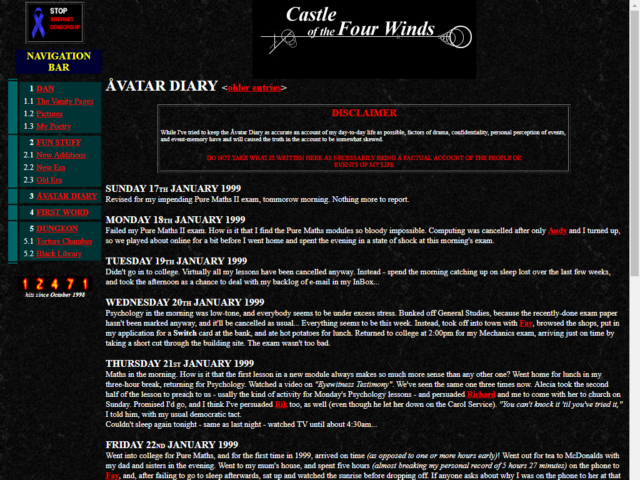
It felt like a natural evolution of my second vanity-site. It was 1998, and my site – Castle of the Four Winds – was home to a selection of the same kinds of random crap that
everybody put on their homepages at the time. I figured I’d start keeping an online diary: the word “blog” hadn’t been coined yet, and its predecessor “weblog” had only been around for
a year and I hadn’t come across it.
So I experimentally started posting a few times a week.
What platform are you using to manage your blog and why did you choose it? Have you blogged on other platforms before?
1998: Static HTML and a bit of Perl
When I started blogging my site was almost entirely plain HTML2.
So my original “platform” was probably Emacs.
2000: Static files indexed by PHP
In the Summer of 2000 I registered avangel.com and moved my diary there. I was still storing posts in static files, but used PHP wrappers to share the structure and menus across the
pages. It was a massive improvement.
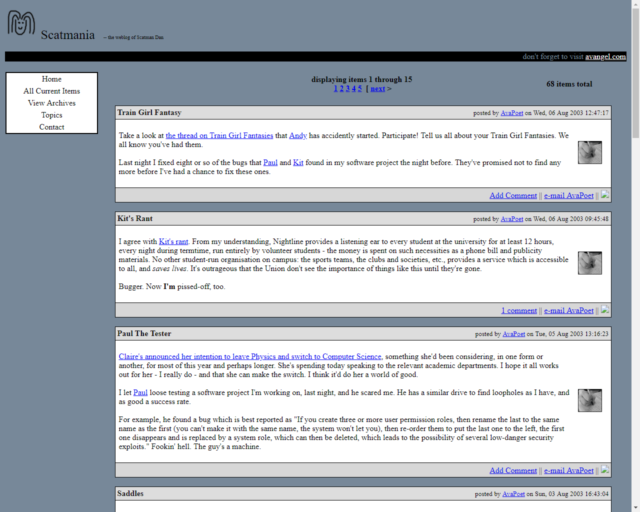
Later, I moved everything to the (ill-advised?) domain name scatmania.org and reimplemented in pretty-much the same way. Until…
I’d have outgrown Flip eventually, but I got a nudge in that direction in July 2004. At the time, I was sharing a server
with some friends and operated by Gareth, and something went wrong and the server went completely offline. The co-located server disappeared back
to Gareth’s house, eventually, and while I’d recovered many of the posts from my own backups, 61 posts remain partially-incomplete to this
day (if you happen to have a copy of any of them I’d love to see it!).
I brought my blog back online using WordPress, whose then-new release version 1.2
included an RSS-powered importer: this allowed me to write a little code to convert my entire previous archive into a fat RSS file and then import it wholesale. WordPress was, as
remains, pretty magical – a universal blogging platform that evolved into a universal CMS – and I back in the day I occasionally argued online with Matt
about technical aspects of the future direction of the project4.
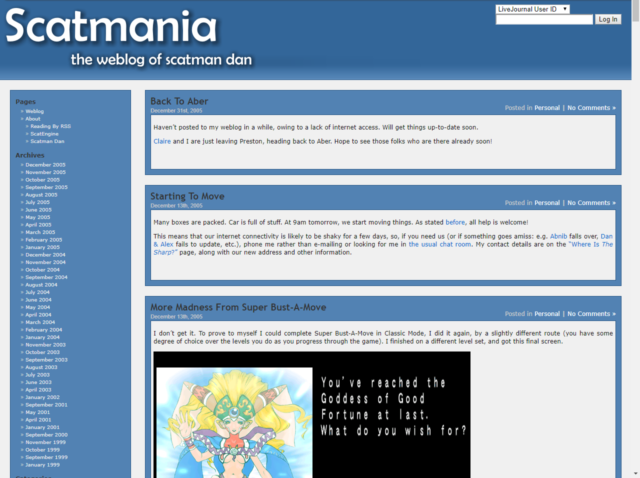
Those drop-shadows! Those gradients! Those naked hyperlinks differentiated only by being a slightly different colour! That aggressive use of sans-serif fonts with expanded
line-heights! Those RSS links, front-and-centre! The only thing that could make this more-obviously “Web 2.0” would be the addition of a wonky “beta” star in the corner.
If you didn’t know better, you might well not know I’m running WordPress. My theme and custom plugins are… well, they’re an ecosystem all by themselves. And that’s before you even get
to things like CapsulePress, my WordPress-to-Gopher/Gemini/Spartan/Nex bridge, the
pile of scripts I use to sync-up with the Fediverse, the PWA I use to post notes while I’m on the move, and so on.
2025: ClassicPress
Earlier this year I experimentally switched to ClassicPress; a fork of WordPress. There’ll doubtless be lots more to say about that, down the
line5,
but here’s the skinny: I don’t use Gutenberg on my blog anyway6,
I appreciate having my backend be almost as high-performance as I’ve worked to make my frontend, and I enjoy most of
the feature differences7.
How do you write your posts? For example, in a local editing tool, or in a panel/dashboard that’s part of your blog?
With the exception of notes (most of which are written in a tool of my own creation and then pushed to one or both of my Mastodon and my blog
simultaneously), I mostly write right into the WordPress/ClassicPress post editor.
I often write ideas, concepts, and first drafts into my Obsidian notebook and then copy/paste out when the time comes.
When do you feel most inspired to write?
There’s no particular pattern, though it feels like I’m most-inspired to write exactly when I should be prioritising something else! That’s why it’s so helpful to be able to
write three sentences into Obsidian and then come back to it later!
I’ve been on a bit of a blogging kick these last few years, though. Last year I wrote a massive 436 posts, although that admittedly includes PESOS‘d checkins from geocaching and geohashing expeditions. I’m a fan of
Kev’s #100DaysToOffload challenge, and I’m on course to achieve it earlier than ever before, this year (my sixth consecutive year: I do the
challenge strictly by calendar years!), as this post is already by 48th… all within the first 38 days of this year8.
Do you publish immediately after writing, or do you let it simmer a bit as a draft?
A mixture of both. Probably most of my posts are written in a single sitting… or, at least, are written in a tab that stays open for the entire time during which it’s written.
But others spend a long time in-progress. You remember how almost a year ago I gave a talk about why Oxford’s area code is 01865? And I promised that there’d be a blog/vlog/maybe-podcast version of that talk later?
Yeah: that’s been 90%-there and sitting in a draft pretty-much since then, just waiting for me to make the finishing touches (and record the vlog/podcast variants, if that’s the
direction I decide to go in).
And I’ve dusted off drafts that’ve been much older than that, before, too. So it really is a mixture.
What’s your favourite post on your blog?
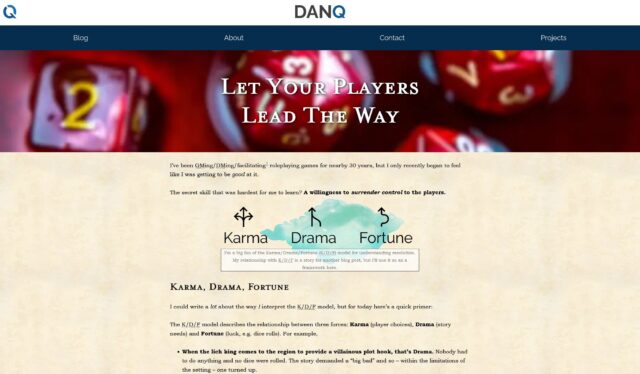
I couldn’t pick out a favourite that I wouldn’t change my mind about five minutes later. But a recent favourite might have been last Spring’s “Let Your Players Lead The Way”, which aimed to impart some of the things I’ve learned about gamemastering (especially) while being the
dungeon master for The Levellers these last few years9.
Not only was it a post that had been a long time coming, and based on months of drafts and re-drafts, but also I really enjoyed writing some post-specific CSS to give it just a slightly
more-magical feel.
The downside is that I’ve now got one more thing to try not to break the next time I re-write my blog’s stylesheet.
Any future plans for your blog? Maybe a redesign, a move to another platform, or adding a new feature?
I want to redesign the homepage to be simpler, less-graphical, and more-informational. I’m not sure how that’s going to look, yet.
And as I mentioned: I’m experimenting with ClassicPress. It’s working out mostly-okay so far, but that’s a story for another post.
Next?
I feel like I’m the last person in the universe to do this quiz. But if you haven’t – and you have anything approximating a blog – then you should go next.
Footnotes
1 I wouldn’t recommend actually reading my older posts, though. I was a teenager,
and it shows.
2 I had a slightly-fancier kind of hosting, by this point, that gave me a
cgi-bin directory into which I could compile binaries (in C) or write scripts (in Perl). My hit counter? That was a Perl script I adapted from Matt Wright’s counter.pl and “enhanced” with some flaming text using Corel
Photo-Paint.
5 Right off the bat, though, let me stress that trying ClassicPress is absolutely nothing
to do with the drama in the WordPress space right now: in fact I’ve been planning to give it a try ever since the project got its shit together, re-forked WordPress, and released ClassicPress 2.0 a year ago.
6 I don’t have anything against Gutenberg – I use it on other blogs, and every day at
work! – and Block Themes are magical… but I’ve never found any benefit to them here: I’ve no need for it, and I’ve got plugins I’ve written for my own use that I’ve never bothered to
make Gutenberg-compatible.
7 My biggest gripe with ClassicPress so far is that in removing the jQuery dependency on
the post editor’s tag selector they’ve only replaced it with a <datalist>, which is neat and all but kills the ability to autocomplete multiple
comma-separated tags at once. But it looks like that’s getting fixed, so I’m going to hang in there for a bit
before I decide whether I’m sticking with ClassicPress or not.
8 I’ll save you from doing the maths: if I complete 48 posts in 38 days, I’d expect to
complete 100 posts on my 80th day: as it’s not a leap year, that would be Friday 21 March 2025. Let’s see how I get on!
9 Although I’ve been horribly neglecting them for the last couple of months, for various
reasons.